Aula F75 Wireless Greywood V3 Switch
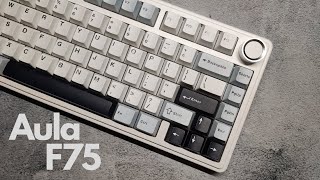
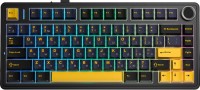 | Outdated Product Compact mechanical keyboard with three connection options (USB cable, Bluetooth, 2.4 GHz wireless) and LEOBOG Greywood V3 Switches, providing a precise tactile response with a high key travel. It is designed in ANSI format without a numeric keypad, which frees up space on the desk for active mouse work. The manufacturer positions it as a universal solution for gamers and users working with texts. A notable feature is the support for Hot Swap technology, allowing you to change switches without soldering or disassembling the case—simply remove the old switch and install a new one. The Aula F75 Wireless Greywood V3 Switch keyboard is equipped with durable PBT keycaps that resist wear and maintain surface texture even after long-term use. The built-in battery provides autonomous...operation in wireless mode, and a modern USB-C port with a detachable cable is used for charging. Functionality is enhanced by Multi-Device support—the ability to switch between multiple connected devices, convenient when working with both a computer and a tablet simultaneously. The wireless connection range reaches 10 meters. For gaming tasks, Anti-Ghosting technology and full N-KRO support are provided, eliminating conflicts when multiple keys are pressed simultaneously. Volume control is implemented through a separate wheel, and the customizable RGB backlighting with various effects allows you to personalize your workspace. |


 |
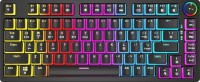


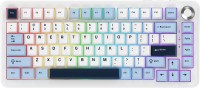

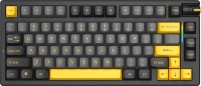
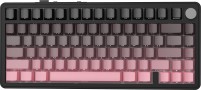
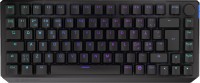

Aula F75 Wireless Greywood V3 Switch LEOBOG Greywood V3 Switch (Linear) LEOBOG Reaper Linear Switch | ||||||||||||||||||||||||||||||||||||||||||||||||||||||||||||||||||||||||||||
|
| |||||||||||||||||||||||||||||||||||||||||||||||||||||||||||||||||||||||||||


Compact mechanical keyboard with three connection options (USB cable, Bluetooth, 2.4 GHz wireless) and LEOBOG Greywood V3 Switches, providing a precise tactile response with a high key travel. It is designed in ANSI format without a numeric keypad, which frees up space on the desk for active mouse work. The manufacturer positions it as a universal solution for gamers and users working with texts.
A notable feature is the support for Hot Swap technology, allowing you to change switches without soldering or disassembling the case—simply remove the old switch and install a new one. The Aula F75 Wireless Greywood V3 Switch keyboard is equipped with durable PBT keycaps that resist wear and maintain surface texture even after long-term use. The built-in battery provides autonomous operation in wireless mode, and a modern USB-C port with a detachable cable is used for charging.
Functionality is enhanced by Multi-Device support—the ability to switch between multiple connected devices, convenient when working with both a computer and a tablet simultaneously. The wireless connection range reaches 10 meters. For gaming tasks, Anti-Ghosting technology and full N-KRO support are provided, eliminating conflicts when multiple keys are pressed simultaneously. Volume control is implemented through a separate wheel, and the customizable RGB backlighting with various effects allows you to personalize your workspace.
Always clarify the specifications and configuration of the product with the online store manager before purchasing.
Catalog Aula 2025 - new arrivals, bestsellers, and the most relevant models Aula.