
Asus ROG Strix Flare CoD Edition Brown Switch (90MP00M1-B0UA02)
 | Outdated Product Connection: wired; Type: for game; Form factor: 100% (full size); Layout: ANSI; Key profile: vysokyi; Switch technology: mechanical; Switches: Cherry MX Brown (Tactile); Additional keys: 6; Anti-Ghosting; #KRO: N-KRO; Fn key; Cyrillic colour: transparent; Volume control: wheel; Built-in memory |


 |
Close
We recommend products in stockKeyboards Asus →

play (for kids), mechanical, 100% (full size), wired, additional keys: 8, backlight, RGB backlight

play (for kids), mechanical, 100% (full size), wired, additional keys: 7, backlight, RGB backlight

play (for kids), mechanical, 100% (full size), wired, additional keys: 8, backlight, RGB backlight


play (for kids), membrane, 100% (full size), wired, additional keys: 9, backlight, water resistance, RGB backlight

play (for kids), optical-mechanical, 100% (full size), wired, additional keys: 8, backlight, RGB backlight

play (for kids), membrane, 100% (full size), wired, additional keys: 8, with macros, backlight
play (for kids), magnetic, 100% (full size), wired, additional keys: 8, backlight, USB hub, RGB backlight
Asus ROG Strix Flare CoD Edition Brown Switch Cherry MX Black (Linear) Cherry MX Brown (Tactile) Cherry MX Brown (Tactile) Cherry MX Red (Linear) Cherry MX Silent (Linear) | |||||||||||||||||||||||||||||||||||||||||||||||||||||||||||||||||||||||||||
|
| ||||||||||||||||||||||||||||||||||||||||||||||||||||||||||||||||||||||||||


The information in the model description is for reference purposes.
Always clarify the specifications and configuration of the product with the online store manager before purchasing.
Catalog Asus 2025 - new arrivals, bestsellers, and the most relevant models Asus.
Always clarify the specifications and configuration of the product with the online store manager before purchasing.
Catalog Asus 2025 - new arrivals, bestsellers, and the most relevant models Asus.

Series Asus ROG Strix (gaming)

gaming, 27 ", 2560x1440 (16:9), IPS, response 1 ms, 180 Hz, HDMI, DisplayPort, USB C (video), AMD FreeSync, NVIDIA G-Sync Compatible, VESA Adaptive-Sync, HDR, TÜV Rheinland

gaming mouse, Bluetooth/radio, BT v 5, Multi-Device, buttons: 4, programmable, + wheel, ROG, RGB backlight, sensor 36000 DPI, 1xAA, up to 618 h

game, 15.6 ", 1920x1080 (16:9), IPS, 144 Hz, Ryzen 7, 6800H, 3.2 GHz, RAM 16 GB, DDR5, RTX 3050, SSD M.2 NVMe, 512 GB, USB A 5Gbps (3.2 gen1), USB C gen2, Win 11 Home, Wi-Fi 6E, fast charge, no camera, 2.1 kg


gaming, overhead, closed, wired, 3.5 mm, 2x3.5 mm, 1.2 m, foldable, 20 – 40000 Hz, 32 Ohm

gaming, 26.5 ", 2560x1440 (16:9), OLED, response 0.03 ms, 240 Hz, HDMI, DisplayPort, USB A 2x5Gbps (3.2 gen1), AMD FreeSync Premium, NVIDIA G-Sync Compatible, VESA Adaptive-Sync, HDR, TÜV Rheinland

play (for kids), optical-mechanical, 100% (full size), wired, backlight, water resistance, RGB backlight

gaming mouse, wired, USB A, buttons: 4, programmable, + wheel, Omron, RGB backlight, sensor 12000 DPI
high performance, game, 16 ", 1920x1200 (16:10), IPS, 165 Hz, Ryzen 9, 8940HX, 2.4 GHz, RAM 32 GB, DDR5, RTX 5070 Ti, SSD M.2 NVMe, 1 TB, USB A 10Gbps (3.2 gen2), USB4 40 Gbps, Win 11 Home, Wi-Fi 6E, VR, fast charge, 2.5 kg


gaming, 27 ", 2560x1440 (16:9), IPS, response 1 ms, 180 Hz, HDMI, DisplayPort, USB C (video), AMD FreeSync, NVIDIA G-Sync Compatible, VESA Adaptive-Sync, HDR, TÜV Rheinland

play (for kids), mechanical, 1800 (compact full-size), Bluetooth / radio / wired, BT v 5, additional keys: 1, backlight, RGB backlight, battery, up to 1500 h


high performance, game, 18 ", 2560x1600 (16:10), IPS, 240 Hz, Core i9, 14900HX, 1.6 GHz, RAM 32 GB, DDR5, RTX 4070, SSD M.2 NVMe, 1 TB, USB A 10Gbps (3.2 gen2), USB C gen2, USB4 40 Gbps, Thunderbolt, Win 11 Home, Wi-Fi 6E, VR, fast charge, 3 kg

gaming, Full Tower, E-ATX, no PSU, front panel: USB A 4, USB C 1, fan backlight, 4 fans

gaming, overhead, closed, combined, detachable cable, 3.5 mm, 1.2 m, Bluetooth v 5.0, aptX, active noise cancellation, multichannel, foldable, 10 – 40000 Hz, 32 Ohm, battery: 1800 mAh, up to 45 h, with case + wired mode
gaming, 27 ", 2560x1440 (16:9), IPS, response 1 ms, 320 Hz, HDMI, v 2.1, DisplayPort, USB C (video), Power Delivery, AMD FreeSync Premium, NVIDIA G-Sync Compatible, VESA Adaptive-Sync, HDR, TÜV Rheinland








Model overview based on user reviews
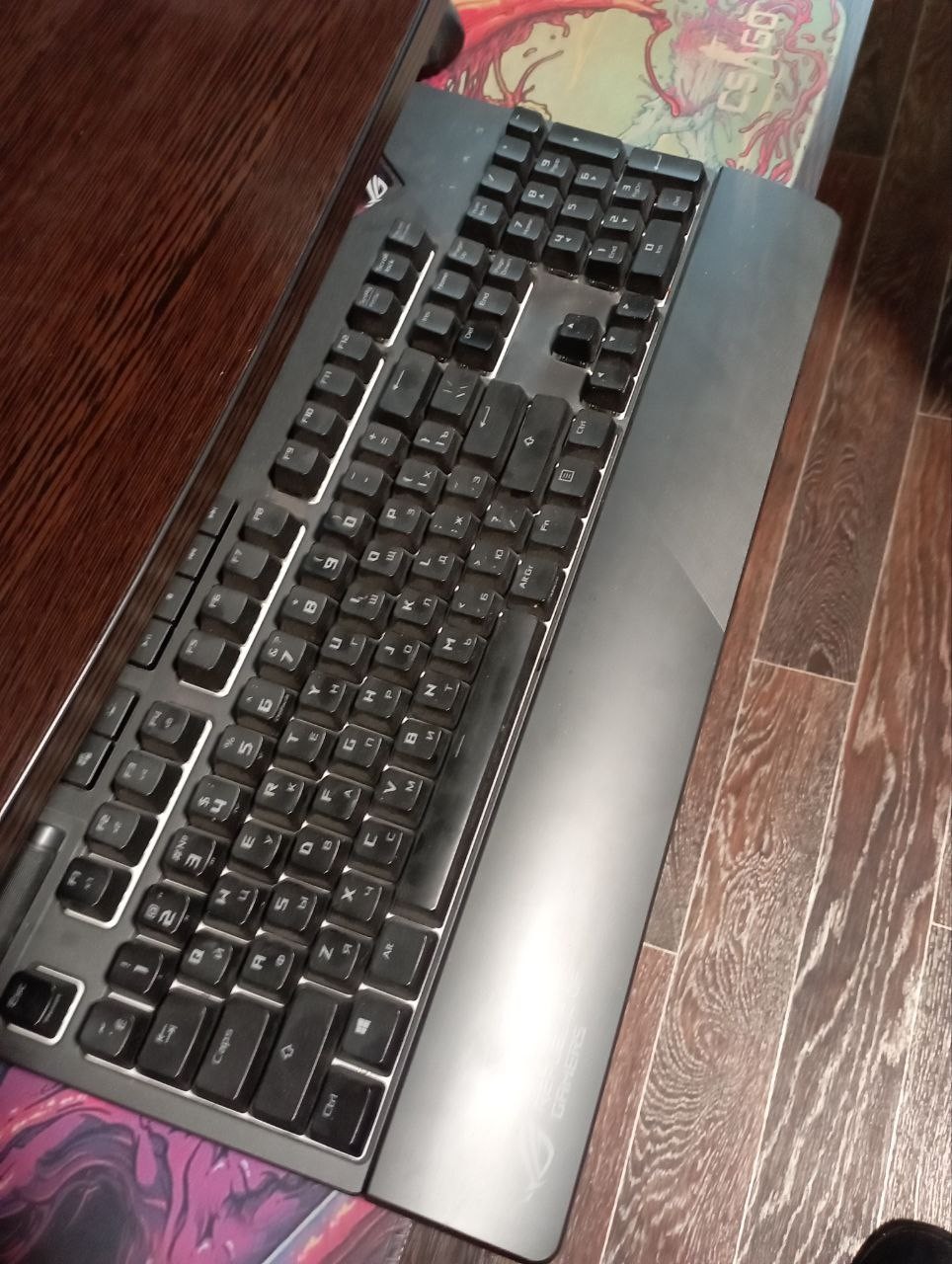
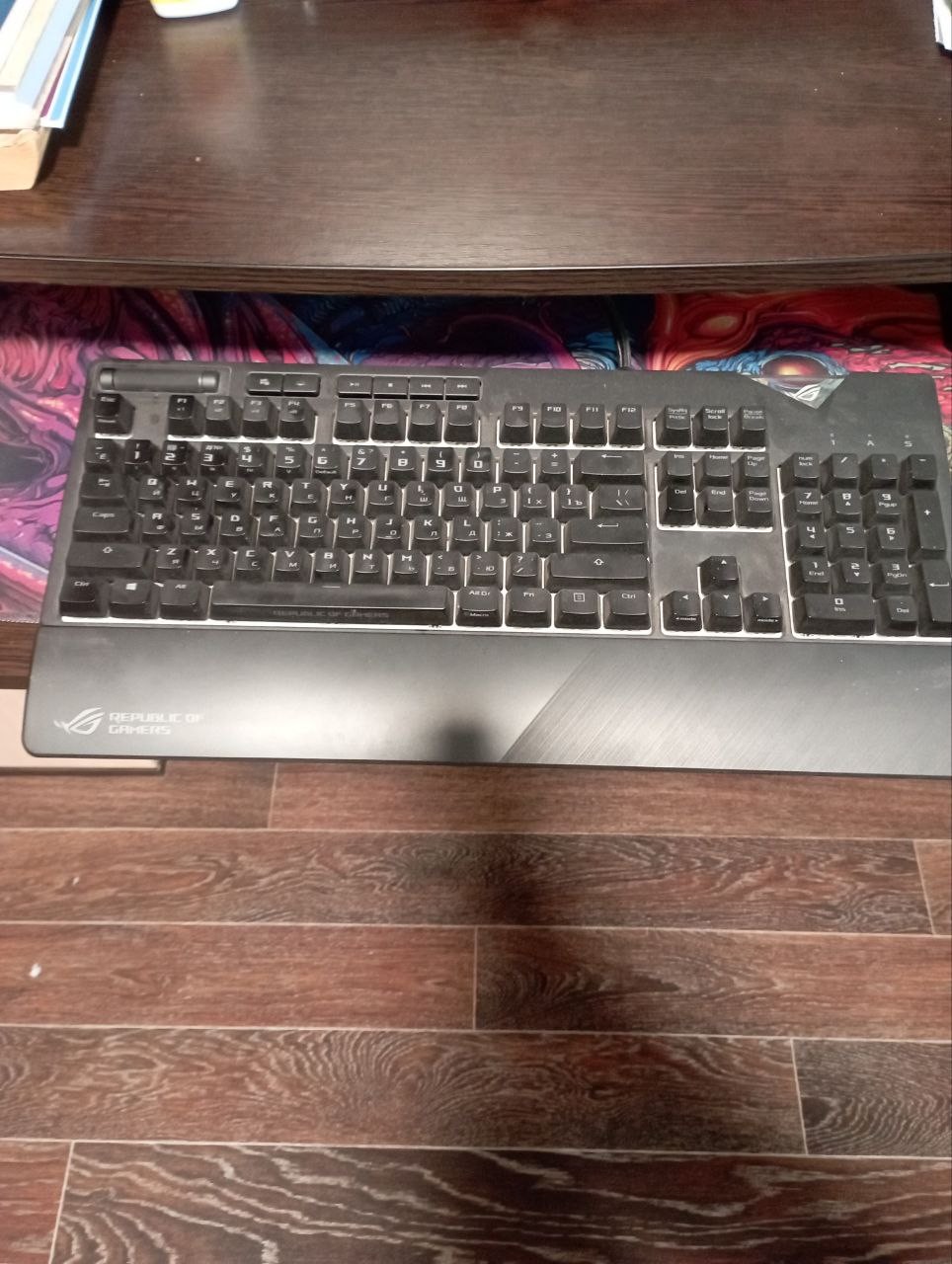
The Asus ROG Strix Flare Black Switch keyboard is highly praised for its stylish design, amazing RGB backlighting, and reliability. Users appreciate the quality materials and the overall build, although some have noted that the spacebar rattles and the keys have a bit of play. The detachable palm rest is convenient but could benefit from magnetic attachment for better stability. The volume control wheel, located on the left, is not ideal for everyone, but remapping keys can resolve this issue. Despite minor drawbacks, such as the price and the inconvenient sound control wheel, the keyboard is considered a wonderful model and worth the investment. Overall, it offers a satisfying experience, especially for those new to mechanical keyboards.
Pros
Cons
Due to some circumstances, I purchased a version of the keyboard with a short shift and a two-level enter, I thought that a short shift was disgusting and inconvenient, for the first two days it seemed so... The first two days. And then I got used to it, and it even became a little more comfortable. The keyboard is well made. Nice materials, stylish design, chic lighting and good keycaps. I can't point out any downsides. The most insignificant thing: the space bar rattles a little, but it’s not critical at all, and also the sound control wheel is a little inconvenient (does not have an exact movement, so sometimes it gets off by a couple of notches) use Asus ROG Strix Flare Black Switch less than month |
good keyboard, can't point out any particular advantages for such a price, the assembly of the switches could be better, the keys have a bit of play, and the spacebar rattles a lot; I had to install 0-rings. |
I really liked the keyboard; this is actually my first mechanical one, so I was very excited. The backlighting is just amazing, and the design is really cool. Personally, my only remark is that the volume wheel is on the left, so I never used it. I just remapped the keys and used the - key on the right side for volume, and that's how I use it. Design, backlighting, reliability Perhaps the price, although I understand that there are more expensive ones. The stand is convenient, but it hardly secures at all, it just slides under the keyboard and holds very lightly, I would like magnets. |

Add Review
Video reviews
I NEED this keyboard - ASUS ROG Strix Flare II Animate
19 February 2022697 436 view

ROG Strix Flare II Animate | Fully Loaded Flare | ROG
5 January 2022304 991 view

ROG Strix Flare - Mechanical Gaming Keyboard with a Customizable Badge | ROG
21 September 201839 101 view

ROG Strix Flare II Animate – Unboxing Video | ROG
1 March 202227 860 view

WIN a Custom ROG Strix Flare Keyboard! 3 to Give Away (Sponsored)
30 June 201821 236 view

Asus ROG Strix Flare II Animate - Unboxing, Sound Test
15 September 20221 782 view

ASUS ROG STRIX FLARE II ANIMATE | ASUS ROG DELTA S ANIMATE Review - (Tagalog)
14 February 20221 332 view

Gaming Keyboard with Animation LED? Asus ROG Strix Flare II Animate | Unboxing & Review | Malaysia
30 November 2022569 view

ASUS ROG Strix Flare II Unboxing and Review - TAGALOG
15 February 2022472 view

UNBOXING AND QUICK REVEIW OF ASUS ROG STRIX FLARE MECHANICAL RGB GAMING KEYBOARD
21 April 2019227 view
Unboxing ASUS ROG Strix Flare II Animate Keyboard
2 March 2022173 view