
Prestigio Click&Touch (PSKEY1SGRU)
 | Outdated Product Connection: Bluetooth / radio / wired; Bluetooth version: v 4.0; Multi-Device; Type: for tablets; Form factor: 75% (compact TKL, without Num-block); Layout: ANSI; Key profile: low; Switch technology: membrane; Fn key; CMD / OPT keys; Cyrillic colour: white; Touchpad; Cable: Interface: USB A |


 |
Close
Prestigio Click&Touch | |||||||||||||||||||||||||||||||||||||||||||||||||||||||||||||||||
|
| ||||||||||||||||||||||||||||||||||||||||||||||||||||||||||||||||


The entire surface of the keyboard is used as a touchpad.
The information in the model description is for reference purposes.
Always clarify the specifications and configuration of the product with the online store manager before purchasing.
Catalog Prestigio 2026 - new arrivals, bestsellers, and the most relevant models Prestigio.
Always clarify the specifications and configuration of the product with the online store manager before purchasing.
Catalog Prestigio 2026 - new arrivals, bestsellers, and the most relevant models Prestigio.

AccessoriesAll accessories for Prestigio Click&Touch →






A very handy thing for people who change work locations, for example, students or who have frequent business trips, etc. The keyboard is compact, lightweight, you can also work on your knees, if you press the buttons - it reacts like a keyboard, and if you run your fingers over them - then like a touch pad, that is, a mouse is not needed. i liked the versatility of the device, lightness, ease of use in the “field” conditions it takes a little getting used to to use its capabilities use Prestigio Click&Touch few months |
Thoughtfully made, you can rewind the video and add volume by just sliding your finger across the top slider Two in one, touchpad and keyboard, no need for a mouse anymore. You can connect it to almost any device, such as a smart TV or a tablet. 84 percent of the keyboard is a touchpad, allowing you to use it like a mouse. easier. no |

Add Review
Video reviews

Prestigio Click&Touch keyboard
14 June 20191 038 view

คีย์บอร์ด 2 in 1 ลูบแล้วกลายเป็นเมาส์ได้เฉย! | Monty Review EP.1 Prestigio CLICK&TOUCH 2
7 September 2022373 view
We recommendCompare using chart →


play (for kids), mechanical, 80% (TKL, without Numpad), Bluetooth / radio / wired, additional keys: 3, backlight, RGB backlight, battery, up to 36 h

play (for kids), membrane, 100% (full size), wired, additional keys: 9, backlight, water resistance, RGB backlight

play (for kids), optical-mechanical, 100% (full size), wired, backlight, water resistance, RGB backlight


play (for kids), mechanical, 1800 (compact full-size), Bluetooth / radio / wired, BT v 5, additional keys: 1, backlight, RGB backlight, battery, up to 1500 h
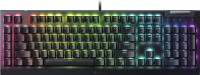
play (for kids), mechanical, 100% (full size), wired, additional keys: 6, with macros, backlight, scroll wheel, RGB backlight
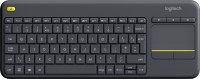
membrane, 75% (compact TKL, without Num-block), radio, additional keys: 4, touchpad, 2xAA

play (for kids), mechanical, 75% (compact TKL, without Num-block), wired, additional keys: 2, backlight, scroll wheel, RGB backlight
