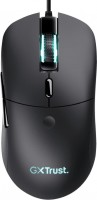
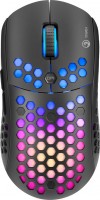
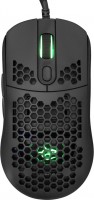
MSI Clutch GM41 Lightweight V2 (S12-0400D20-C54)
 |

 |
MSI Clutch GM41 Lightweight V2 | |||||||||||||||||||||||||||||||||||||||||||||||||||||||||||||||||||||||
|
| ||||||||||||||||||||||||||||||||||||||||||||||||||||||||||||||||||||||


Wired gaming mouse with advanced Omron switches, an arsenal of four buttons and built-in RGB lighting. The model is presented on the market in 2022 and is positioned by the manufacturer in the lower segment of the middle price range. The most important advantages of the model, first of all, include an ultra-light symmetrical case weighing only some 65 g, which is equally comfortable in both the right and left hand.
But at the same time, two additional side buttons are located on the left side of the “rodent”, under the thumb of the right hand. The MSI Clutch GM41 Lightweight V2 also features soft rubber grips on the sides of the mouse for a better grip. The model is equipped with an optical sensor PixArt 3389 with a sensitivity in the range of 400 - 6400 DPI with the possibility of increasing the maximum value up to 16000 DPI when using proprietary software. Durable Omron mechanical switches provide comfortable response and boast a long lifespan of over 60 million clicks. Built-in RGB lighting allows you to customize the desired color of the corporate logo on the mouse body. Connection to a computer or laptop is carried out using a braided cable with a USB connector at the end.
Always clarify the specifications and configuration of the product with the online store manager before purchasing.
Catalog MSI 2025 - new arrivals, bestsellers, and the most relevant models MSI.



Bad mouse. I was choosing between this mouse and others in this category, like Hathor, or used Zowie, or Dezaider, or Cobra. I thought Hathor had really bad plastic, but no, this one isn't great either. After a week of use, both buttons started to creak - initially, this wasn't the case, but now there's a slight side play even without pressing the button, which creaks horribly. So, it's one thing to have some play, but it creaks just when you place your fingers on the mouse and move it around. The side buttons are even worse than on the A4Tech XL750, with significant play. I was convinced by the sensor and the fact that it has Teflon on the bottom. The cable in version 2, to put it mildly, isn't great either - it's thick and heavy, and you can feel it in games. The scroll wheel is ordinary, it creaks when scrolling slowly. Its markings aren't clear. Overall, MSI disappointed me; I thought it was a reliable brand, but probably not in this price category. Sensor Decent side support Backlight Everything squeaks Everything wobbles Cable Very low, parameters say 38 but in fact it's 36, bad for medium-large hand  Yurii Sadovoy: use MSI Clutch GM41 Lightweight V2 less than month Yurii Sadovoy: use MSI Clutch GM41 Lightweight V2 less than month |