
Gigabyte GeForce RTX 3060 Ti EAGLE 8G (GV-N306TEAGLE-8GD)
 | Outdated Product Interface: PCI-E v4.0 16x; Model GPU: NVIDIA GeForce RTX 3060 Ti; Architecture: Ampere; Memory size (GB): 8; Memory type: GDDR6; Memory bus (bits): 256; GPU clock speed (MHz): 1665; Memory clock (MHz): 14000; HDMI: 2; Display Port: 2; Cooling: active (fan); Fans: 2 pcs; Additional power: 8 pin |


 |
Close
We recommend products in stockGraphics Cards Gigabyte →

memory GDDR6, 8 GB, 14000 MHz, NVIDIA GeForce RTX 3060 Ti, Ampere, 1695 MHz, LHR, HDMI, DisplayPort, 8 pin
Gigabyte GeForce RTX 3060 Ti EAGLE 8G 8 GB / 1665 MHz 8 GB / 1695 MHz | ||||||||||||||||||||||||||||||||||||||||||||||||||||||||||||||||||||||||||||||
|
| |||||||||||||||||||||||||||||||||||||||||||||||||||||||||||||||||||||||||||||

Note! The graphics card may be LHR in the store you transferred to!
The information in the model description is for reference purposes.
Always clarify the specifications and configuration of the product with the online store manager before purchasing.
Catalog Gigabyte 2025 - new arrivals, bestsellers, and the most relevant models Gigabyte.
Always clarify the specifications and configuration of the product with the online store manager before purchasing.
Catalog Gigabyte 2025 - new arrivals, bestsellers, and the most relevant models Gigabyte.

How Much Memory Does a Video Card Need in 202516 GB - the new hit of the season? Or is 8 GB still enough? Let's figure out the optimal VRAM volume for modern games.
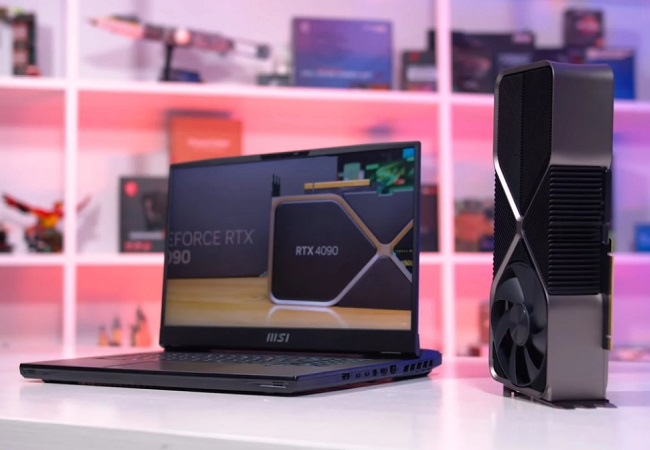
Performance mystery: Why mobile graphics cards are inferior to discreteLet's look at how NVIDIA cheats with different versions of chips and why laptop manufacturers slow down graphics cards
Series Gigabyte Eagle (gaming)
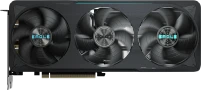
memory GDDR7, 12 GB, 28000 MHz, NVIDIA GeForce RTX 5070, Blackwell, 2587 MHz, HDMI, DisplayPort, backlight, 16 pin

ATX, socket AMD AM5, chipset AMD B650, 4 x DDR5, DIMM, 7600 MHz, USB C, HDMI, DisplayPort, M.2, Wi-Fi, M.2 cooling, no backlight

memory GDDR7, 16 GB, 28000 MHz, NVIDIA GeForce RTX 5070 Ti, Blackwell, 2542 MHz, HDMI, DisplayPort, backlight, 16 pin, 300 W

ATX, socket AMD AM5, chipset AMD B650, 4 x DDR5, DIMM, 7600 MHz, USB C, HDMI, DisplayPort, M.2, M.2 cooling, no backlight

memory GDDR7, 12 GB, 28000 MHz, NVIDIA GeForce RTX 5070, Blackwell, 2587 MHz, HDMI, DisplayPort, backlight, 16 pin, White Edition
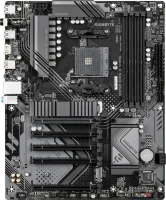
ATX, socket AMD AM4, chipset AMD B550, 4 x DDR4, DIMM, 3200 MHz, USB C, HDMI, M.2, Wi-Fi, M.2 cooling, no backlight
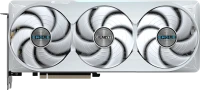
memory GDDR7, 16 GB, 28000 MHz, NVIDIA GeForce RTX 5070 Ti, Blackwell, HDMI, DisplayPort, backlight, 16 pin, 300 W, White Edition

ATX, socket AMD AM5, chipset AMD B850, 4 x DDR5, DIMM, 8200 MHz, USB C, HDMI, DisplayPort, M.2, Wi-Fi, M.2 cooling, no backlight

memory GDDR6, 8 GB, 14000 MHz, AMD Radeon RX 6600, Big Navi (RDNA 2), 2491 MHz, HDMI, DisplayPort, 8 pin
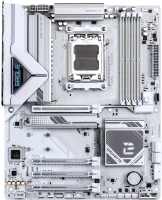
ATX, socket AMD AM5, chipset AMD B850, 4 x DDR5, DIMM, 8200 MHz, USB C, HDMI, DisplayPort, M.2, LAN 2.5 Gbps, M.2 cooling, White Edition

memory GDDR6, 6 GB, 14000 MHz, NVIDIA GeForce RTX 3050, Ampere, 1477 MHz, HDMI, DisplayPort, without additional food

micro-ATX, socket Intel LGA 1851, chipset Intel B860, 2 x DDR5, DIMM, 9066 MHz, USB C, HDMI, DisplayPort, M.2, LAN 2.5 Gbps, M.2 cooling, no backlight
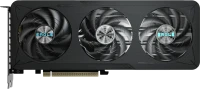
memory GDDR7, 16 GB, 28000 MHz, NVIDIA GeForce RTX 5060 Ti, Blackwell, 2617 MHz, HDMI, DisplayPort, 8 pin, 180 W
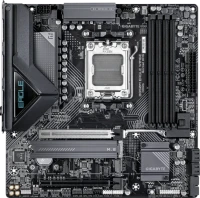
micro-ATX, socket AMD AM5, chipset AMD B850, 4 x DDR5, DIMM, 8200 MHz, USB C, HDMI, DisplayPort, M.2, LAN 2.5 Gbps, Wi-Fi, M.2 cooling
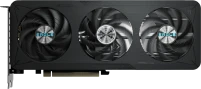
memory GDDR7, 8 GB, 28000 MHz, NVIDIA GeForce RTX 5060, Blackwell, 2550 MHz, HDMI, DisplayPort, 8 pin, 150 W

socket AMD AM5, chipset AMD B850, 4 x DDR5, DIMM, 8200 MHz, USB C, HDMI, DisplayPort, M.2, LAN 2.5 Gbps, Wi-Fi, M.2 cooling, White Edition

memory GDDR7, 8 GB, 28000 MHz, NVIDIA GeForce RTX 5060, Blackwell, 2550 MHz, HDMI, DisplayPort, 8 pin, 150 W
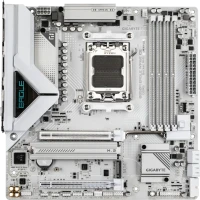
micro-ATX, socket AMD AM5, chipset AMD B850, 4 x DDR5, DIMM, 8200 MHz, USB C, HDMI, DisplayPort, M.2, LAN 2.5 Gbps, Wi-Fi, M.2 cooling, White Edition

memory GDDR7, 8 GB, 28000 MHz, NVIDIA GeForce RTX 5060, Blackwell, 2550 MHz, HDMI, DisplayPort, 8 pin, 150 W, White Edition
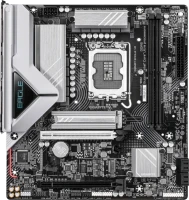
micro-ATX, socket Intel LGA 1851, chipset Intel B860, 2 x DDR5, DIMM, 9066 MHz, USB C, HDMI, DisplayPort, M.2, LAN 2.5 Gbps, M.2 cooling, no backlight


The card works well, maintains frequencies and temperature, which in my case does not exceed 62-65°C. There is an auto-overlock through the proprietary utility, and the increase pleasantly surprised with a 10-15% boost over the base (apparently a lucky unit). It has a small working range of fans and a high noise level. The semi-passive mode works strangely, waking you up in the middle of the night with the noise of an attacking helicopter every 10 minutes (but can be adjusted manually) and gives unforgettable heart attacks. The significant drawbacks are below. Price. Overclocking potential. Works. Sweet fps. On the 2nd day, one of the fans began to crack, apparently a defect from the factory, I thought, and the crackling was floating at certain speeds. It was experimentally found that the plastic backplate expanded due to prolonged heating, which is why the plastic elements of the fan edging shifted slightly, changing the distance of the grooves - thereby the fan began to touch them. I’ll say right away that the crash was disgusting and loud, much noisier than the level of comfort, and later it developed into a constant nasty grinding sound. We managed to reduce it a little by using a stand for the video card. Apparently I'll have to replace it under warranty. On Alika, in principle, there are replacement fans for 500 rubles apiece, for this particular model, which personally worries me, perhaps there is a widespread problem. We saved on cooling and it shows. I think it made sense to overpay and get one with an iron backplate, which probably wouldn’t be so loose, and 3 fans that are quieter with a larger rotation range.  Maksim Miheev: use Gigabyte GeForce RTX 3060 Ti EAGLE OC 8G few months Maksim Miheev: use Gigabyte GeForce RTX 3060 Ti EAGLE OC 8G few months |
Add Review