
Asus VivoBook 15 OLED K513EA [K513EA-L11012] (90NB0SG1-M17090)
 | Outdated Product Display:15.6 ", 1920x1080 (16:9) CPU:Core i5, 1135G7, 2.4 GHz Graphics card:Iris Xe Graphics G7 80EUs RAM:16 GB Storage:SSD M.2 Laptop weight:1.8 kg |


 |
Close
Configurations Asus VivoBook 15 OLED K513EA 2
Specifications
Asus VivoBook 15 OLED K513EA [K513EA-L11012] | |||||||||||||||||||||||||||||||||||||||||||||||||||||||||||||||||||||||||||||||||||||||||||||||||||||||||||||||||||||||||||||||||||||||||||||||||||||||||||||||||||||||||||||||||||||||||||
|
| ||||||||||||||||||||||||||||||||||||||||||||||||||||||||||||||||||||||||||||||||||||||||||||||||||||||||||||||||||||||||||||||||||||||||||||||||||||||||||||||||||||||||||||||||||||||||||


The information in the model description is for reference purposes.
Always clarify the specifications and configuration of the product with the online store manager before purchasing.
Catalog Asus 2026 - new arrivals, bestsellers, and the most relevant models Asus.
Always clarify the specifications and configuration of the product with the online store manager before purchasing.
Catalog Asus 2026 - new arrivals, bestsellers, and the most relevant models Asus.
Prices Asus VivoBook 15 OLED K513EA [K513EA-L11012]
This model is currently not available for sale.
Follow us for updates.
Follow us for updates.
Series Asus VivoBook (mid-range)

15.6 ", 1920x1080 (16:9), IPS, Ryzen 5, 7520U, 2.8 GHz, RAM 8 GB, LPDDR5, Radeon 610M, SSD M.2 NVMe, 512 GB, USB A 5Gbps (3.2 gen1), USB C gen1, Win 11 Home, fast charge, 1.63 kg

15.6 ", 1920x1080 (16:9), IPS, Core i7, 1255U, 1.2 GHz, RAM 8 GB, DDR4, Iris Xe Graphics G7 96EUs, SSD M.2 NVMe, 512 GB, USB A 5Gbps (3.2 gen1), USB C gen1, Win 11 Home, Wi-Fi 6E, fast charge, 1.7 kg

17.3 ", 1920x1080 (16:9), IPS, Core i5, 1335U, 0.9 GHz, RAM 8 GB, DDR4, Iris Xe Graphics G7 80EUs, SSD M.2 NVMe, 512 GB, USB A 5Gbps (3.2 gen1), USB C gen1, Win 11 Home, Wi-Fi 6E, fast charge, 2.1 kg

15.6 ", 1920x1080 (16:9), OLED, Core i3, 1315U, 0.9 GHz, RAM 8 GB, DDR4, UHD Graphics 64EUs, SSD M.2 NVMe, 512 GB, USB A 5Gbps (3.2 gen1), USB C gen1, Win 11 Home, fast charge, 1.7 kg
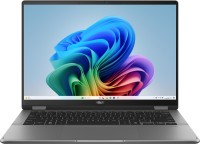
transformer 360°, 14 ", touch, 1920x1200 (16:10), OLED, Core Ultra 7, 256V, 2.2 GHz, RAM 16 GB, LPDDR5X, Arc Graphics 140V, SSD M.2 NVMe, 1 TB, USB A 5Gbps (3.2 gen1), USB C gen2, USB4 40 Gbps, Thunderbolt, Win 11 Home, Wi-Fi 7, fast charge, 3D face scanner, extreme battery life, 1.6 kg

15.6 ", 1920x1080 (16:9), IPS, Ryzen 7, 5825U, 2 GHz, RAM 16 GB, DDR4, no RAM upgrade, Vega 8, SSD M.2 NVMe, 512 GB, USB A 5Gbps (3.2 gen1), USB C gen1, Win 11 Home, Wi-Fi 6E, 1.7 kg

16 ", 1920x1200 (16:10), IPS, Core i7, 1255U, 1.2 GHz, RAM 8 GB, DDR4, Iris Xe Graphics G7 96EUs, SSD M.2 NVMe, 512 GB, USB A 5Gbps (3.2 gen1), USB C gen1, Win 11 Home, Wi-Fi 6, 1.88 kg

16 ", 1920x1200 (16:10), IPS, Ryzen 7, 7730U, 2 GHz, RAM 16 GB, DDR4, no RAM upgrade, Vega 8, SSD M.2 NVMe, 1 TB, USB A 5Gbps (3.2 gen1), USB C gen1, Win 11 Home, Wi-Fi 6E, fast charge, 1.88 kg
17.3 ", 1920x1080 (16:9), IPS, Core i5, 1334U, 0.9 GHz, RAM 16 GB, DDR4, no RAM upgrade, Iris Xe Graphics G7 80EUs, SSD M.2 NVMe, 512 GB, USB A 5Gbps (3.2 gen1), USB C gen1, Win 11 Home, fast charge, 2.1 kg
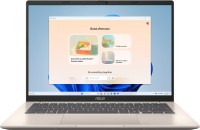
ultrabook, 14 ", 1920x1200 (16:10), IPS, Core Ultra 5, 225H, 1.3 GHz, RAM 16 GB, DDR5, Arc Graphics 130T, SSD M.2 NVMe, 512 GB, USB A 5Gbps (3.2 gen1), USB C gen1, Win 11 Home, Wi-Fi 6, fast charge, 3D face scanner, extreme battery life, 1.5 kg

16 ", 1920x1200 (16:10), IPS, Ryzen AI, 7 350, 2 GHz, RAM 16 GB, DDR5, Radeon 860M, SSD M.2 NVMe, 1 TB, USB A 5Gbps (3.2 gen1), USB C gen1, Win 11 Home, Wi-Fi 6, fast charge, 3D face scanner, 1.9 kg

16 ", 1920x1200 (16:10), IPS, 120 Hz, Core i7, 12650H, 1.7 GHz, RAM 16 GB, DDR4, RTX 4060, SSD M.2 NVMe, 512 GB, USB A 5Gbps (3.2 gen1), USB4 40 Gbps, Thunderbolt, Win 11 Home, Wi-Fi 6E, VR, fast charge, fingerprint scanner, 1.8 kg

15.6 ", 1920x1080 (16:9), IPS, Core i7, 1355U, 1.2 GHz, RAM 16 GB, DDR4, no RAM upgrade, Iris Xe Graphics G7 96EUs, SSD M.2 NVMe, 1 TB, USB A 5Gbps (3.2 gen1), USB C gen1, Win 11 Home, Wi-Fi 6E, fast charge, 1.7 kg
15.6 ", 1920x1080 (16:9), IPS, Core i3, 1315U, 0.9 GHz, RAM 8 GB, DDR4, UHD Graphics 64EUs, SSD M.2 NVMe, 512 GB, USB A 5Gbps (3.2 gen1), USB C gen1, Win 11 Home, Wi-Fi 6, fast charge, 1.7 kg
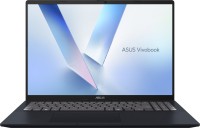
16 ", 1920x1200 (16:10), IPS, Ryzen AI, 7 350, 2 GHz, RAM 16 GB, DDR5, Radeon 860M, SSD M.2 NVMe, 1 TB, USB A 5Gbps (3.2 gen1), USB C gen1, Win 11 Home, Wi-Fi 6, fast charge, 3D face scanner, 1.9 kg
15.6 ", 1920x1080 (16:9), IPS, Ryzen 5, 7520U, 2.8 GHz, RAM 16 GB, LPDDR5, Radeon 610M, SSD M.2 NVMe, 512 GB, USB A 5Gbps (3.2 gen1), USB C gen1, Win 11 Home, fast charge, 1.63 kg

15.6 ", 1920x1080 (16:9), IPS, Processor N-series, N100, 1 GHz, RAM 4 GB, DDR4, UHD Graphics 24EUs, UFS, 128 GB, USB A 5Gbps (3.2 gen1), USB C gen1, Win 11 Home (S mode), Wi-Fi 6E, fast charge, 1.63 kg

15.6 ", 1920x1080 (16:9), OLED, Ryzen 5, 7530U, 2 GHz, RAM 8 GB, DDR4, Vega 7, SSD M.2 NVMe, 512 GB, USB A 5Gbps (3.2 gen1), USB C gen1, no OS, Wi-Fi 6E, fast charge, fingerprint scanner, 1.7 kg

ultrabook, 14 ", 1920x1200 (16:10), IPS, Ryzen AI, 5 340, 2 GHz, RAM 16 GB, DDR5, Radeon 840M, SSD M.2 NVMe, 512 GB, USB A 5Gbps (3.2 gen1), USB C gen1, Win 11 Home, Wi-Fi 6, fast charge, 3D face scanner, 1.5 kg

16 ", 1920x1200 (16:10), IPS, Core i5, 1135G7, 2.4 GHz, RAM 8 GB, DDR4, Iris Xe Graphics G7 80EUs, SSD M.2 NVMe, 512 GB, USB A 5Gbps (3.2 gen1), USB C gen1, Win 11 Home, Wi-Fi 6, 1.88 kg
AccessoriesAll accessories for Asus K513EA-L11012 →





Model overview based on user reviews
The Asus VivoBook 15 OLED K513EA offers a vibrant display with a good color gamut, making it ideal for video and photo work. It features a fast processor capable of handling 4K video and older games at max settings, though modern games may require adjustments. The laptop includes 16 GB of RAM and a design that allows for an additional 2.5" drive installation. However, users have noted issues with the SSD's limited PCI-E lanes and the need to replace it for better performance. The device lacks a SATA cable and rubber for the disk, and some users experienced challenges with driver installation, requiring manual downloads. Despite these drawbacks, the laptop is praised for its quality display and overall value, though support from Asus could be improved.
Pros
Cons
I purchased this device to replace my old HP 255 G6. I chose the Asus Vivobook 15 OLED series because of the quality display. In this price range, you can't find a screen with such characteristics. Overall, the impressions are positive. Compared to the old laptop, the screen is out of this world! The processor is faster, and the RAM is 16 GB - twice as much as the old one. The old processor didn't support more than 8 GB. The dimensions are quite compact, it even fits in a medium-sized backpack. There's an option to install an additional 2.5" drive. Now, about Asus as a company and its customer relations. At the time of purchase, all labels indicated that this was exactly the K513EA. But when installing drivers, it turned out to be a K513EAN. The difference is the lack of keyboard backlighting. I later found out that the presence of backlighting can be determined by the F7 key - there will be an image of a setting sun. Well, I wasn't too focused on that, I can survive without it. Then there are the drivers. On the page for this specific model on the Asus website, they seem to be available. But after installing the system and all drivers from the site, it turned out that the system didn't recognize half of the devices - a bunch of interrogative marks. Yes, I'm one of those old-timers who prefer to install drivers from the manufacturer, not from Windows. Installing the MyASUS app didn't solve the problem. The app only offers updates for already installed drivers. I managed to install all the drivers using Google. Then, through MyASUS, I downloaded all the necessary drivers. In the end, installing the system with the drivers took 4 hours. The screen has a good color gamut. Those who work with video and photos will be satisfied. Even a regular user, after having a screen with such color coverage, wouldn't want to look at pathetic IPS 45% NTSC, because you quickly get used to the good stuff. The fast processor in this device allows you to normally watch 4K video with HDR. Besides that, the built-in specs are quite enough for gaming at max settings in games from 5-7 years ago. With modern ones, of course, you'll have to tone it down, but overall, it's quite playable; this is not a gaming laptop. If you need a laptop for video or photo editing, then better look at configurations with Ryzen 5 or 7 - they have 6 or 8 cores with 12 or 16 threads, but in per-core performance, Intel is faster. A decent amount of RAM for a compact non-gaming laptop - 16 GB RAM. The memory here is relatively decent by laptop standards - 3200 MHz with CL22 timings. Once, I looked at gaming Legions that cost twice as much, and there, the frequency was the same, only the timings were shorter, but the price started at $1500. The option to install an additional 2.5" drive is a nice bonus. But in today's realities, there's no point in installing an HDD, except for the price. SMR and the parking of the heads every 8 seconds have killed the 2.5" HDD segment literally and figuratively. Therefore, only SATA SSDs, preferably Samsung. Overall, the device has a nice design, a soft keyboard, the screen doesn't glare, even though it's glossy. If you put your hands in the right place and invest a little money, the device will remain relevant for many tasks for years to come. The availability of necessary drivers on the manufacturer's website, the absence of a SATA cable in the box and rubber for the disk, thanks to the Chinese, their set costs up to $15. The disk subsystem was a very unpleasant surprise. Firstly, there are only TWO PCI-E 3.0 LANES for the SSD. Secondly, the SSD here is Intel 660p - on QLC chips with a lifespan of only 100 TB and with a speed after filling the cache at the level of old IDE hard drives. This SSD itself does not shine with speeds, and two lanes are more than enough for it. But in configurations on Ryzen processors, FOUR lanes are already allocated for the SSD. Why this was done on Intel processors is unclear. Perhaps to offload batches of not the most popular and high-quality SSDs. After all, the processor itself, judging by its logical scheme, supports FOUR PCI-E 4.0 LANES! The problem of not a very good SSD is solved by replacing it with any other on TLC chips. There won't be any gain in linear read speed, but the write speed will grow by about one and a half times. The driver issue is solved after the first system installation and downloading them from MyASUS. Another disadvantage could be slightly overpriced at retailers, especially those with GeForce MX330/MX350. These video cards are roughly at the level of built-in ones, slightly faster by 15-20%, but the price is $100 higher because of them. Also, among the disadvantages is the soldered memory - in the version with 16 GB, 8 GB is soldered + 1 slot. In versions with 8 GB, versions with soldered 4 GB + 1 slot may be encountered. The above disadvantages are the only ones.  Evgeniy Nikonov: use Asus VivoBook 15 OLED K513EA less than month Evgeniy Nikonov: use Asus VivoBook 15 OLED K513EA less than month |
Not only is it an oled, but also PWM at 60 Hz - don’t eat it. - - |

Add Review
Video reviews

Asus VivoBook 15 OLED K513EA (L12356T) Laptop Unboxing | BD 2022
17 January 20225 989 view

ASUS VivoBook 15 OLED K513EA i5 - Unboxing (⬇️read the description)
22 January 20224 814 view

Asus K15 Oled K513EA-L313WS (K513EA) Differences and Which One is Better
16 August 20222 077 view

Asus Vivobook 15 OLED (K513EA) ឆ្នាំ2022 តំលៃ 549$ + ថែម 8មុខ
23 November 20222 068 view

Unboxing Asus K15 OLED(K513EA-L313WS)
8 March 20221 387 view

ASUS Vivobook 15 OLED (K513EA) ឆ្នាំ2022 តំលៃ 549$ គិតម៉េចដែរមួយនេះ??
28 October 2022493 view
We recommend
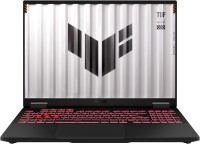
display 16 ", 1920x1200 (16:10), CPU AMD, Ryzen 7, GPU RTX 5050, RAM 16 / 32 GB, storage 512 GB / 1 TB, weight 2.2 kg

display 15.6 ", 1920x1080 (16:9), CPU Intel, Core i3 - Core i7, GPU Iris Xe Graphics G7 80EUs - UHD Graphics Xe G4 48EUs, RAM 8 / 16 GB, storage 256 GB / 512 GB, weight 1.65 kg

display 15.3 ", 2880x1864, CPU, Apple M3, GPU M3 10-Core, RAM 8 - 24 GB, storage 256 GB / 512 GB, weight 1.51 kg
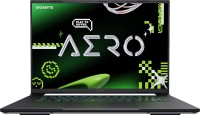
display 16 ", 2560x1600 (16:10), CPU AMD, Ryzen AI, GPU RTX 5070, RAM 32 GB, storage 1 TB / 2 TB, weight 2 kg

display 13.6 ", 2560x1664, CPU, Apple M3, GPU M3 10-Core / M3 8-Core, RAM 8 - 24 GB, storage 256 GB / 512 GB, weight 1.24 kg

display 14 ", 1920x1080 (16:9), CPU Intel, Core i5 / Core i7, GPU Iris Xe Graphics G7 80EUs / Iris Xe Graphics G7 96EUs, RAM 8 / 16 GB, storage 256 GB / 512 GB, weight 1.42 kg

display 15.6 ", 1920x1080 (16:9), CPU Intel, Core i5 / Core i7, GPU Iris Xe Graphics G7 80EUs / Iris Xe Graphics G7 96EUs, RAM 8 / 16 GB, storage 256 GB / 512 GB, weight 1.79 kg

display 14 ", 1366x768 (16:9) / 1920x1080 (16:9), CPU Intel, Core i3 / Processor N-series, GPU UHD Graphics 24EUs / UHD Graphics Xe 32EUs, RAM 4 / 8 GB, storage 128 GB / 256 GB, weight 1.5 kg

display 16.2 ", 3456x2234, CPU, Apple M4 Pro, GPU M4 Pro 20-Core, RAM 24 / 48 GB, storage 512 GB / 1 TB, weight 2.14 kg

display 15.6 ", 1920x1080 (16:9), CPU Intel, Core i5 / Core i7, GPU RTX 5050 - RTX 5070, RAM 16 - 32 GB, storage 512 GB / 1 TB, weight 2.4 kg

display 15.3 ", 2880x1864, CPU, Apple M2, GPU M2 10-Core, RAM 8 GB, storage 256 GB / 512 GB, weight 1.51 kg
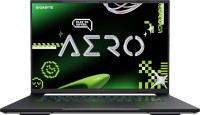
display 16 ", 2560x1600 (16:10), CPU AMD, Ryzen AI, GPU RTX 5060, RAM 16 GB, storage 1 TB, weight 2 kg