
Acer OMR040
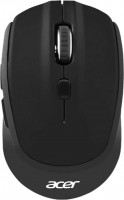 | Outdated Product Product type: mouse; Connection: radio; Sensor: optical; Type: notebook; Sensor Resolution (DPI): 800 – 1600; Buttons: 5; Side buttons; DPI-button; Cable: USB receiver; |


 |
Close
We recommend products in stockMice Acer →


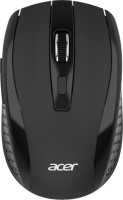




Acer OMR040 | |||||||||||||||||||||||||||||||||||||||||||||||||
|
| ||||||||||||||||||||||||||||||||||||||||||||||||


The information in the model description is for reference purposes.
Always clarify the specifications and configuration of the product with the online store manager before purchasing.
Catalog Acer 2025 - new arrivals, bestsellers, and the most relevant models Acer.
Always clarify the specifications and configuration of the product with the online store manager before purchasing.
Catalog Acer 2025 - new arrivals, bestsellers, and the most relevant models Acer.

How to choose a gaming mouseWe'll look at grip types, sensor sensitivity, pushbutton switches, and other important nuances

Branded technologies in computer mice worldWhat technologies are in mice and what benefits they give in particular tasks
AccessoriesAll accessories for Acer OMR040 →






Model overview based on user reviews
The Acer OMR040 mouse is highly appreciated by users for its wireless convenience and affordable price. It features a matte plastic surface that is pleasant to the touch and includes additional side buttons for enhanced control. Users find it easy to connect via the included USB receiver, with no need for additional drivers, and it works seamlessly across various operating systems. The mouse offers a sensor resolution range of 800 to 1600 DPI, which users find adequate for their needs. Despite its compact size, which some users noted as smaller than their previous mice, it is praised for its quick cursor response and smooth button operation. The mouse is lightweight and portable, making it convenient for travel, and its battery life is commendable, lasting several months without needing a change. Overall, the Acer OMR040 is recommended for its reliability, ease of use, and functionality, especially for those who prefer a wireless setup.
Pros
Cons
0 0 4 2 |
Adapted quickly to the mouse, similar to my previous one in many ways. Out of what I encountered for the first time, probably the active scroll, it became more convenient to scroll through pages and search for information on the internet. I also liked the mouse for the cursor response, it stays within sight on the desktop. Matte plastic, side buttons, USB adapter included The size of the mouse is smaller than my previous one. |
I selected the mouse by clicking on the buttons. I chose this one because even with long nails I can click the first time and avoid double clicks or even empty clicks. The mouse cursor flies quickly either at 800 or at 1600 dpi, here I didn’t see any difference at all, but more eagle-eyed people think differently somehow. Standard in design, I started using it a minute or so after connecting the receiver, since the setting on the laptop automatically turned on. I don't know what the downsides might be. |
Works seamlessly with any OS, and no drivers are needed for connection. All buttons press and move smoothly. The maximum sensor resolution is 1600 dpi, but I set it to 1200 and it's sufficient for my use. In addition to the main buttons, there are 2 more buttons for control and sensor resolution adjustment. Despite the lack of wires, I didn't notice any difference in connection compared to a wired mouse - it doesn't break up. The sensor is unpretentious and works on any surface. And it's inexpensive. No  Egor: use Acer OMR040 few months Egor: use Acer OMR040 few months |
3 out of 6 user review(s) shown
3 more user review(s)