
Asus ROG Swift PG27AQ 27 " black
 | Buy!  ASUS ROG Swift OLED PG27AQWP-W computer monitor 67.3 cm (26.5") 2560 x 1440 pixels Quad HD LCD Silver 90LM0CF2-B01971Backtotheoffice.co.ukDelivery: in United Kingdom Report |
 |
Close
Asus ROG Swift PG27AQ 27 " black
Screen size:27 "
Resolution:3840x2160 (16:9)
Panel:AHVA, response 4 ms
Frequency:60 Hz
Contrast:1 000:1
Brightness:300 cd/m²
Functions:NVIDIA G-Sync, Flicker-Free
Connectors:HDMI
All specifications
Specifications ROG Swift PG27AQ
|
| ||||||||||||||||||||||||||||||||||||||||||||||||||||||||||||||||||||||||||||||


The information in the model description is for reference purposes.
Always clarify the specifications and configuration of the product with the online store manager before purchasing.
Catalog Asus 2026 - new arrivals, bestsellers, and the most relevant models Asus.
Always clarify the specifications and configuration of the product with the online store manager before purchasing.
Catalog Asus 2026 - new arrivals, bestsellers, and the most relevant models Asus.

How to Choose a Gaming MonitorWe understand matrix types, suitable resolution, FreeSync and other important aspects when choosing a gaming monitor

Monitor matrices types: TN+film, IPS, VA, OLED, QLED and QD-OLEDCurrent types of monitor matrices, their pros and cons, as well as recommendations for selection
Series Asus ROG Swift (Gaming)Compare using chart →

gaming, 26.5 ", 4K, 3840x2160 (16:9), QD-OLED, response 0.03 ms, 240 Hz, HDMI, v 2.1, DisplayPort, USB C (video), Power Delivery, USB A 3x5Gbps (3.2 gen1), KVM-switch, AMD FreeSync Premium Pro, NVIDIA G-Sync Compatible, VESA Adaptive-Sync, HDR, TÜV Rheinland

gaming, 31.5 ", 4K, 3840x2160 (16:9), OLED, response 0.03 ms, 240 Hz, 480 Hz Full HD, HDMI, v 2.1, DisplayPort, USB C (video), Power Delivery, USB A 3x5Gbps (3.2 gen1), KVM-switch, AMD FreeSync Premium Pro, NVIDIA G-Sync Compatible, VESA Adaptive-Sync, HDR, TÜV Rheinland

gaming, 31.5 ", 4K, 3840x2160 (16:9), QD-OLED, response 0.03 ms, 240 Hz, HDMI, v 2.1, DisplayPort, USB C (video), Power Delivery, USB A 3x5Gbps (3.2 gen1), KVM-switch, AMD FreeSync Premium Pro, NVIDIA G-Sync Compatible, VESA Adaptive-Sync, HDR, TÜV Rheinland

gaming, 26.5 ", 2560x1440 (16:9), OLED, response 0.03 ms, 480 Hz, HDMI, v 2.1, DisplayPort, USB A 2x5Gbps (3.2 gen1), AMD FreeSync Premium, NVIDIA G-Sync Compatible, VESA Adaptive-Sync, HDR, TÜV Rheinland

gaming, 31.5 ", 4K, 3840x2160 (16:9), QD-OLED, response 0.03 ms, 240 Hz, HDMI, v 2.1, DisplayPort, USB C (video), Power Delivery, USB A 3x5Gbps (3.2 gen1), KVM-switch, AMD FreeSync Premium Pro, NVIDIA G-Sync Compatible, VESA Adaptive-Sync, HDR, TÜV Rheinland

gaming, 32 ", 4K, 3840x2160 (16:9), Mini LED IPS, response 1 ms, 160 Hz, HDMI, v 2.1, DisplayPort, USB A 1x2.0, 2x5Gbps (3.2 gen1), AMD FreeSync Premium Pro, VESA Adaptive-Sync, HDR

gaming, 47.53 ", 4K, 3840x2160 (16:9), OLED, response 0.1 ms, 138 Hz, HDMI, v 2.1, DisplayPort, USB A 4x5Gbps (3.2 gen1), speakers, subwoofer, NVIDIA G-Sync Compatible, VESA Adaptive-Sync, HDR, TÜV Rheinland

gaming, 27 ", 2560x1440 (16:9), IPS, response 1 ms, 360 Hz, HDMI, DisplayPort, USB A 2x5Gbps (3.2 gen1), NVIDIA G-Sync, HDR

gaming, 31.5 ", 4K, 3840x2160 (16:9), QD-OLED, response 0.03 ms, 240 Hz, HDMI, v 2.1, DisplayPort, USB C (video), Power Delivery, USB A 3x5Gbps (3.2 gen1), KVM-switch, AMD FreeSync Premium Pro, NVIDIA G-Sync Compatible, VESA Adaptive-Sync, HDR, TÜV Rheinland

gaming, 39 ", 3440x1440 (21:9), curved 800R, OLED, response 0.03 ms, 240 Hz, HDMI, v 2.1, DisplayPort, USB C (video), Power Delivery, USB A 2x2.0, 2x5Gbps (3.2 gen1), KVM-switch, AMD FreeSync Premium Pro, NVIDIA G-Sync Compatible, VESA Adaptive-Sync, HDR, TÜV Rheinland
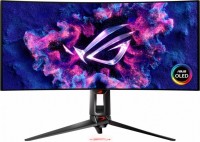
gaming, 34 ", 3440x1440 (21:9), curved 800R, OLED, response 0.03 ms, 240 Hz, HDMI, v 2.1, DisplayPort, USB C (video), Power Delivery, USB A 1x2.0, 2x5Gbps (3.2 gen1), KVM-switch, AMD FreeSync Premium Pro, NVIDIA G-Sync Compatible, VESA Adaptive-Sync, HDR, TÜV Rheinland

gaming, 26.5 ", 2560x1440 (16:9), OLED, response 0.03 ms, 240 Hz, HDMI, DisplayPort, USB A 2x5Gbps (3.2 gen1), AMD FreeSync Premium, NVIDIA G-Sync Compatible, VESA Adaptive-Sync, HDR, TÜV Rheinland

gaming, 27 ", 4K, 3840x2160 (16:9), IPS, response 1 ms, 160 Hz, HDMI, v 2.1, DisplayPort, USB A 2x5Gbps (3.2 gen1), AMD FreeSync Premium Pro, NVIDIA G-Sync Compatible, VESA Adaptive-Sync, HDR, TÜV Rheinland

gaming, 35 ", 3440x1440 (21:9), curved 1800R, *VA, response 4 ms, 200 Hz, HDMI, DisplayPort, USB A 2x5Gbps (3.2 gen1), NVIDIA G-Sync Ultimate, HDR

gaming, 41.5 ", 4K, 3840x2160 (16:9), OLED, response 0.1 ms, 138 Hz, HDMI, v 2.1, DisplayPort, USB A 4x5Gbps (3.2 gen1), speakers, subwoofer, NVIDIA G-Sync Compatible, VESA Adaptive-Sync, HDR, TÜV Rheinland

gaming, 24.1 ", 1920x1080 (16:9), TN+film, response 0.2 ms, 540 Hz, HDMI, DisplayPort, USB A 2x5Gbps (3.2 gen1), NVIDIA G-Sync, VESA Adaptive-Sync, HDR

gaming, 49 ", 5120x1440 (32:9), curved 1800R, QD-OLED, response 0.03 ms, 144 Hz, HDMI, v 2.1, DisplayPort, USB C (video), Power Delivery, USB A 2x2.0, 2x5Gbps (3.2 gen1), KVM-switch, AMD FreeSync Premium Pro, VESA Adaptive-Sync, HDR, TÜV Rheinland
gaming, 27 ", 4K, 3840x2160 (16:9), AHVA, response 4 ms, 60 Hz, HDMI, USB A 3x5Gbps (3.2 gen1), speakers, NVIDIA G-Sync

gaming, 43 ", 4K, 3840x2160 (16:9), *VA, response 4 ms, 144 Hz, HDMI, DisplayPort, USB A 2x5Gbps (3.2 gen1), speakers, AMD FreeSync, NVIDIA G-Sync Compatible, HDR

gaming, 32 ", 2560x1440 (16:9), IPS, response 1 ms, 175 Hz, HDMI, DisplayPort, USB A 2x5Gbps (3.2 gen1), NVIDIA G-Sync Compatible, VESA Adaptive-Sync, HDR, TÜV Rheinland
AccessoriesAll accessories for Asus ROG Swift PG27AQ →




Model overview based on user reviews
The Asus ROG Swift PG27AQ is a 27-inch 4K gaming monitor that impresses with its 3840x2160 resolution and fantastic pixel density, offering vibrant color, contrast, and wide viewing angles. It features a rugged design with a red backlit logo, adding to its aesthetic appeal. The monitor supports NVidia G-Sync technology, which helps eliminate frame tearing and reduces input lag, making it ideal for gaming. It includes a built-in USB 3.0 hub and a fully adjustable stand, enhancing its functionality. However, it is demanding on graphics cards, as even a powerful GTX1080 Ti may struggle to maintain a comfortable frame rate at this resolution. Despite this, it is considered a dream monitor for gamers, offering a high-quality gaming experience.
Pros
Cons
How to build a cool gaming computer? It's very simple: Near-top processor, near-top motherboard, near-top graphics card, near-top SSD with 512GB, 32GB of RAM, and cram it all into a big spacious case with a Seasonic Prime Gold power supply. I poured a lot of money into this build, but everything came together like a puzzle. The only problem arose with the monitor. I had the idea to get an UltraHD IGZO-panel, but things weren't so great in ultra-fast dynamic scenes, then I got excited about buying an OLED model, but it turned out to be unrealistic, as they're still relatively new even in Europe. In the end, I bought this true gamer monitor from Asus. And strangely enough, it's based on an IPS-panel. They really pushed it to the limits, hahaha! a 4K screen with a resolution of 3840x2160 pixels and a diagonal of just under 70 centimeters looks very impressive. And if you add the rugged branded design with a red backlit logo, you could say it's a 9 out of 10 on the coolness scale. But you truly appreciate it when you sit down and turn it on. The pixel density is fantastic, previously considered normal only for smartphones. Color, contrast, brightness, incredibly wide viewing angles – it has everything to meet any demand. Connected to a GTX1080 Ti graphics card via a DisplayPort cable. This not only allows transmission of a 60Hz UltraHD signal but also enables the proprietary NVidia G-Sync technology. This system eliminates typical frame tearing and reduces Input Lag. Additionally, there's a built-in USB 3.0 HUB and a heavy, fully adjustable stand. Very demanding on the graphics card. Even a monster like the GTX1080 Ti with eleven (!!!) gigabytes of memory at a resolution of 3840x2160 with high-quality full-screen anti-aliasing may not provide a comfortable frame rate. That's how it is... |
Add Review
SimilarCompare using chart →
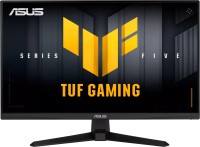
gaming, 24.5 ", 1920x1080 (16:9), IPS, response 1 ms, 310 Hz, HDMI, DisplayPort, speakers, AMD FreeSync Premium, NVIDIA G-Sync Compatible, VESA Adaptive-Sync, HDR, TÜV Rheinland
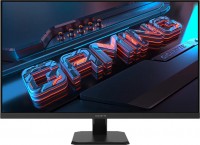
gaming, 31.5 ", 2560x1440 (16:9), IPS, MPRT 1 ms, 165 Hz, HDMI, DisplayPort, AMD FreeSync Premium, VESA Adaptive-Sync, HDR, TÜV Rheinland
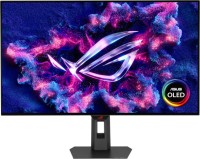
gaming, 31.5 ", 4K, 3840x2160 (16:9), OLED, response 0.03 ms, 165 Hz, 330 Hz Full HD, HDMI, v 2.1, DisplayPort, USB C (video), Power Delivery, USB A 3x5Gbps (3.2 gen1), KVM-switch, AMD FreeSync Premium Pro, NVIDIA G-Sync Compatible, HDR, TÜV Rheinland

gaming, 27 ", 2560x1440 (16:9), QD-OLED, response 0.03 ms, 360 Hz, HDMI, v 2.1, DisplayPort, USB A 2x5Gbps (3.2 gen1), AMD FreeSync Premium Pro, VESA Adaptive-Sync, HDR
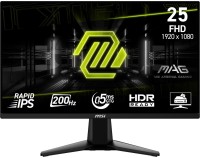
gaming, 24.5 ", 1920x1080 (16:9), IPS, response 0.5 ms, 200 Hz, HDMI, DisplayPort, AMD FreeSync Premium, VESA Adaptive-Sync, HDR, TÜV Rheinland

gaming, 34 ", 3440x1440 (21:9), curved 800R, OLED, response 0.03 ms, 240 Hz, HDMI, v 2.1, DisplayPort, USB A 2x5Gbps (3.2 gen1), AMD FreeSync Premium Pro, NVIDIA G-Sync Compatible, VESA Adaptive-Sync, HDR

for graphics, 27 ", 5K, 5120x2880 (16:9), IPS, response 5 ms, 60 Hz, HDMI, v 2.1, DisplayPort, USB C (video), Power Delivery, USB A 3x5Gbps (3.2 gen1), USB C 1x5Gbps (3.2 gen1), KVM-switch, speakers, VESA Adaptive-Sync, HDR, CalMAN Verified, TÜV Rheinland
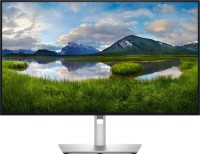
for graphics, 27 ", 4K, 3840x2160 (16:9), IPS, response 5 ms, 120 Hz, HDMI, v 2.1, DisplayPort, USB C (video), Thunderbolt, Power Delivery, LAN, USB A 5x10Gbps (3.2 gen2), USB C 2x10Gbps (3.2 gen2), KVM-switch, VESA Adaptive-Sync, HDR, CalMAN Verified, TÜV Rheinland
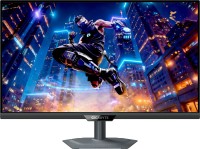
gaming, 27 ", 4K, 3840x2160 (16:9), IPS, response 1 ms, 160 Hz, 320Hz Full HD, HDMI, v 2.1, DisplayPort, USB C (video), Power Delivery, USB A 3x5Gbps (3.2 gen1), KVM-switch, speakers, AMD FreeSync Premium, NVIDIA G-Sync Compatible, VESA Adaptive-Sync, HDR, TÜV Rheinland

gaming, 27 ", 2560x1440 (16:9), IPS, response 1 ms, MPRT 0.5 ms, 180 Hz, HDMI, DisplayPort, AMD FreeSync, NVIDIA G-Sync Compatible, VESA Adaptive-Sync, HDR
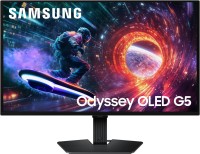
gaming, 27 ", 2560x1440 (16:9), QD-OLED, response 0.03 ms, 180 Hz, HDMI, DisplayPort, AMD FreeSync, NVIDIA G-Sync Compatible, HDR, Pantone Validated

gaming, 34 ", 3440x1440 (21:9), curved 1500R, *VA, response 1 ms, MPRT 0.5 ms, 180 Hz, HDMI, DisplayPort, VESA Adaptive-Sync, HDR