
Asus ROG Ryuo III 360 ARGB White (90RC00I2-M0UAY0)
 |
 |
Close
Asus ROG Ryuo III 360 ARGB White | |||||||||||||||||||||||||||||||||||||||||||||||||||||||||||||||||||||||||||||||||
|
| ||||||||||||||||||||||||||||||||||||||||||||||||||||||||||||||||||||||||||||||||


The information in the model description is for reference purposes.
Always clarify the specifications and configuration of the product with the online store manager before purchasing.
Catalog Asus 2026 - new arrivals, bestsellers, and the most relevant models Asus.
Always clarify the specifications and configuration of the product with the online store manager before purchasing.
Catalog Asus 2026 - new arrivals, bestsellers, and the most relevant models Asus.

Air or liquid cooling — which is better?Which type of cooling to choose depending on the purpose of the PC

Which CPU cooler to choose?Nuances of choosing a CPU cooler that guarantee safety, durability and quiet operation of the PC
Series Asus ROG (Ryujin/Ryuo)Compare using chart →

liquid cooling, per processor, AMD: AM4, AM5, Intel: 1700 1851, fan: 3, 120 mm, depth 25 mm, 2650 rpm, backlight, UV glow, backplate mount, display
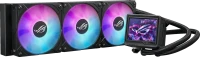
liquid cooling, per processor, AMD: AM4, AM5, Intel: 1150, 1155/1156, 1151/1151 v2, 1200, 1700 1851, fan: 3, 120 mm, depth 25 mm, 2800 rpm, magnetic bearing, backlight, UV glow, backplate mount, display
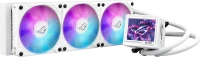
liquid cooling, per processor, AMD: AM4, AM5, Intel: 1150, 1155/1156, 1151/1151 v2, 1200, 1700 1851, fan: 3, 120 mm, depth 25 mm, 2800 rpm, magnetic bearing, backlight, UV glow, backplate mount, display

liquid cooling, per processor, AMD: AM4, AM5, Intel: 1150, 1155/1156, 1151/1151 v2, 1200, 1700 1851, fan: 2, 120 mm, depth 25 mm, 2000 rpm, UV glow, backplate mount, display

liquid cooling, per processor, AMD: AM4, AM5, Intel: 1150, 1155/1156, 1151/1151 v2, 1200, 1700 1851, fan: 3, 120 mm, 2200 rpm, backlight, UV glow, backplate mount, display
liquid cooling, per processor, AMD: AM4, AM5, Intel: 1150, 1155/1156, 1151/1151 v2, 1200, 1700 1851, fan: 3, 120 mm, 2200 rpm, backlight, UV glow, backplate mount, display

liquid cooling, per processor, AMD: AM4, AM5, Intel: 1150, 1155/1156, 1151/1151 v2, 1200, 1700 1851, fan: 2, 120 mm, 2200 rpm, backlight, UV glow, backplate mount, display
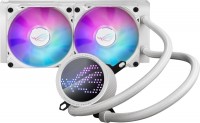
liquid cooling, per processor, AMD: AM4, AM5, Intel: 1150, 1155/1156, 1151/1151 v2, 1200, 1700 1851, fan: 2, 120 mm, 2200 rpm, backlight, UV glow, backplate mount, display

cPU water block, per processor, AMD: AM4, AM5, Intel: 1150, 1155/1156, 1151/1151 v2, 1200, 1700 1851, fan: 1, 5100 rpm, UV glow, display

liquid cooling, per processor, AMD: AM4, AM5, Intel: 1150, 1155/1156, 1151/1151 v2, 1200, 1700 1851, fan: 3, 120 mm, depth 25 mm, 2000 rpm, UV glow, backplate mount, display

liquid cooling, per processor, AMD: AM4, AM5, Intel: 1150, 1155/1156, 1151/1151 v2, 1200, 1700 1851, fan: 2, 120 mm, depth 25 mm, 2200 rpm, backlight, UV glow, backplate mount, display
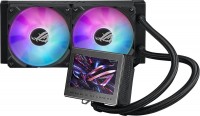
liquid cooling, per processor, AMD: AM4, AM5, Intel: 1150, 1155/1156, 1151/1151 v2, 1200, 1700 1851, fan: 2, 120 mm, depth 25 mm, 2200 rpm, backlight, UV glow, backplate mount, display

cPU water block, per processor, AMD: AM4, AM5, Intel: 1150, 1155/1156, 1151/1151 v2, 1200, 1700 1851, fan: 1, 5100 rpm, UV glow, display
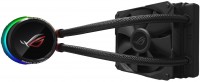
liquid cooling, per processor, AMD: AM4, TR4, Intel: 1150, 1155/1156, 1366, 2011 v3, 2066, 1151/1151 v2, 1200, fan: 1, 120 mm, 2500 rpm, backlight, UV glow, backplate mount
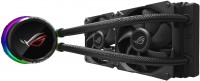
liquid cooling, per processor, AMD: AM4, TR4, Intel: 1150, 1155/1156, 1366, 2011 v3, 2066, 1151/1151 v2, 1200, fan: 2, 120 mm, 2500 rpm, backlight, UV glow, backplate mount

liquid cooling, per processor, AMD: AM4, TR4, Intel: 1150, 1155/1156, 1366, 2011 v3, 2066, 1151/1151 v2, 1200, fan: 2, 120 mm, 2000 rpm, backlight, UV glow, backplate mount

liquid cooling, per processor, AMD: AM4, TR4, Intel: 1150, 1155/1156, 1366, 2011 v3, 2066, 1151/1151 v2, 1200, fan: 3, 120 mm, 2000 rpm, backlight, UV glow, backplate mount
Model overview based on user reviews
The Asus ROG Ryuo III 360 ARGB is a high-performance liquid cooling system designed for processors, offering excellent cooling capabilities for demanding CPUs like the Intel i9 9900K and i7-13700K. Users appreciate its quality execution, performance, and design, along with its easy installation and proprietary software that displays useful information on the pump screen. However, to fully utilize its features, an ASUS motherboard is required, as third-party motherboards may not support all functionalities, such as displaying CPU temperature. The system maintains low idle temperatures and performs well under load, but users should ensure their case can accommodate the triple-section radiator, as it may require adjustments like sacrificing the hard drive bay or video card length. Overall, it is a great model for those seeking efficient cooling with aesthetic ARGB lighting.
Pros
Cons
I use it to cool the Intel Core i7-13700K processor. The processor runs on default settings, no undervolting has been done; idle temperatures are 34-42 °C, and during gaming, they are 52-57 °C. The processor boosts up to 5.4 GHz without issues. Consider your case's dimensions when choosing a triple-section liquid cooling system, as if it doesn't fit on the top part of the case and only on the front, you will have to sacrifice the hard drive bay and the length of the video card. Copes well with a fairly hot processor, easy to install, proprietary software that allows you to display useful information on the pump screen Not found  Michel: use Asus ROG Ryuo III 360 ARGB less than month Michel: use Asus ROG Ryuo III 360 ARGB less than month |
I use it to cool the room heater i9 9900K. It performs excellently in its main function. There is only one problem that no one seems to mention anywhere. To get the full functionality of the device, you need to have a motherboard also from ASUS. Without this, the settings for displaying monitoring information about the computer will not work. For example, your pump cannot tell you what the temperature of the processor is. Quality of execution, performance, design Does not work with third-party motherboard manufacturers. Artem Vovk: use Asus ROG Ryuo III 360 ARGB more than year |
Add Review
Asus ROG Ryuo III 360 ARGB White configurations
| Price for Asus ROG Ryuo III 360 ARGB White | ||||
|---|---|---|---|---|
 | Asus ROG Ryuo III 240 ARGB | from £109.99 | 6 offers | |
 | Asus ROG Ryuo III 240 ARGB White | from £199.95 | 3 offers | |
 | Asus ROG Ryuo III 360 ARGB | from £257.03 | 2 offers | |
| Asus ROG Ryuo III 360 ARGB White | from £269.95 | 2 offers | |
Video reviews

ASUS ROG RYUO III 360 ARGB - Installation Guide (LGA 1700)
1 January 202359 774 view

ASUS ROG Ryuo III
19 November 202229 044 view
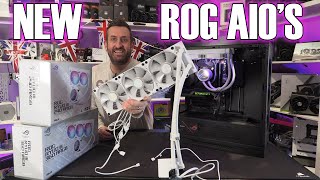
Can it Asus beat EK? Asus ROG Ryuo III 360mm and 240mm 8th gen Asetek AIO Review
25 January 202328 058 view

Unboxing ASUS ROG RYUO III 360 ARGB & RYUO III 240 ARGB - BLACK & WHITE
19 December 20224 884 view
We recommendCompare using chart →

liquid cooling, per processor, AMD: AM4, AM5, Intel: 1150, 1155/1156, 1151/1151 v2, 1200, 1700 1851, fan: 3, 120 mm, depth 26 mm, 2400 rpm, backlight, UV glow, backplate mount, display
liquid cooling, per processor, AMD: AM4, AM5, Intel: 1150, 1155/1156, 1151/1151 v2, 1200, 1700 1851, fan: 3, 120 mm, 2200 rpm, backlight, UV glow, backplate mount, display
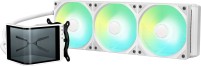
liquid cooling, per processor, AMD: AM4, AM5, Intel: 1150, 1155/1156, 1151/1151 v2, 1200, 1700 1851, fan: 3, 120 mm, depth 25 mm, 1850 rpm, maximum TDP 280 W, backlight, UV glow, backplate mount, display

liquid cooling, per processor, AMD: AM4, AM5, TR4, Intel: 1150, 1155/1156, 1151/1151 v2, 1200, 1700 1851, fan: 3, 120 mm, depth 26 mm, 1500 rpm, backlight, UV glow, backplate mount, display, хаб в комплекте

liquid cooling, per processor, AMD: AM4, AM5, Intel: 1150, 1155/1156, 1151/1151 v2, 1200, 1700 1851, fan: 3, 120 mm, depth 25 mm, 2100 rpm, backlight, UV glow, backplate mount, display

liquid cooling, per processor, AMD: AM4, AM5, TR4, Intel: 1150, 1155/1156, 1366, 2011 v3, 2066, 1151/1151 v2, 1200, 1700 1851, fan: 3, 120 mm, 2100 rpm, backlight, UV glow, backplate mount, display

liquid cooling, per processor, AMD: AM4, AM5, Intel: 1150, 1155/1156, 1151/1151 v2, 1200, 1700 1851, fan: 3, 120 mm, depth 25 mm, 2400 rpm, backlight, UV glow, backplate mount, хаб в комплекте
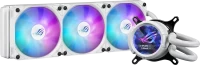
liquid cooling, per processor, AMD: AM4, AM5, Intel: 1150, 1155/1156, 1151/1151 v2, 1200, 1700 1851, fan: 3, 120 mm, depth 25 mm, 2200 rpm, backlight, UV glow, backplate mount, display

liquid cooling, per processor, AMD: AM4, AM5, Intel: 1150, 1155/1156, 1151/1151 v2, 1200, 1700 1851, fan: 3, 120 mm, depth 25 mm, 2400 rpm, backlight, UV glow, backplate mount, display, хаб в комплекте

liquid cooling, per processor, AMD: AM4, AM5, Intel: 1150, 1155/1156, 1151/1151 v2, 1200, 1700 1851, fan: 3, 120 mm, depth 26 mm, 2500 rpm, backlight, UV glow, backplate mount, display

liquid cooling, per processor, AMD: AM4, AM5, TR4, Intel: 1150, 1155/1156, 2011 v3, 2066, 1151/1151 v2, 1200, 1700 1851, fan: 3, 120 mm, depth 25 mm, 2100 rpm, magnetic bearing, backlight, UV glow, backplate mount

liquid cooling, per processor, AMD: AM4, AM5, Intel: 1150, 1155/1156, 1151/1151 v2, 1200, 1700 1851, fan: 3, 120 mm, depth 25 mm, 2450 rpm, backlight, UV glow, backplate mount, display