
Asus TUF Gaming A16 2025 FA608UM [FA608UM-R7165W] (90NR0KV1-M00150)
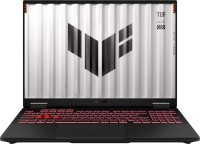 | Expecting restock 2025TUFgaming165 HzRAM upgradededicatedSSD M.2USB4 40 Gbpsfast chargeWi-Fi 6Ebacklight3D face scannergood sRGBDDR5 Display:16 ", 1920x1200 (16:10) CPU:Ryzen 7, 260, 3.8 GHz Graphics card:RTX 5060 RAM:16 GB Storage:SSD M.2 NVMe, 512 GB Laptop weight:2.2 kg |


 |
Close
We recommend products in stockLaptops Asus →

game, 15.6 ", 1920x1080 (16:9), IPS, 144 Hz, Core i7, 11800H, 2.3 GHz, RAM 16 GB, DDR4, RTX 3070, SSD M.2 NVMe, 512 GB, USB A 5Gbps (3.2 gen1), USB C gen1, DOS, Wi-Fi 6, VR, 2.3 kg

game, 15.6 ", matte, 1920x1080 (16:9), IPS, 144 Hz, Ryzen 7, 7735HS, 3.2 GHz, RAM 16 GB, DDR5, RTX 4050, SSD M.2 NVMe, 512 GB, USB A 5Gbps (3.2 gen1), Win 11 Home, Wi-Fi 6, VR, 2.1 kg

game, 15.6 ", matte, 1920x1080 (16:9), IPS, 144 Hz, Ryzen 7, 7435HS, 3.1 GHz, RAM 16 GB, DDR5, RTX 4050, SSD M.2 NVMe, 1 TB, USB A 5Gbps (3.2 gen1), USB C gen2, Win 11 Home, Wi-Fi 6, VR, fast charge, 2.38 kg
game, 15.6 ", matte, 1920x1080 (16:9), IPS, 165 Hz, Ryzen 7, 7735HS, 3.2 GHz, RAM 16 GB, DDR5, RTX 4060, SSD M.2 NVMe, 512 GB, USB A 5Gbps (3.2 gen1), Win 11 Home, Wi-Fi 6, VR, 2.1 kg
game, 16 ", 1920x1200 (16:10), IPS, 165 Hz, Ryzen 7, 260, 3.8 GHz, RAM 16 GB, DDR5, RTX 5050, SSD M.2 NVMe, 512 GB, USB A 10Gbps (3.2 gen2), USB C gen2, USB4 40 Gbps, Win 11 Home, Wi-Fi 6E, VR, fast charge, 3D face scanner, 2.2 kg

game, 15.6 ", 1920x1080 (16:9), IPS, 144 Hz, Ryzen 7, 8845HS, 3.8 GHz, RAM 16 GB, DDR5, RTX 4060, SSD M.2 NVMe, 512 GB, USB A 5Gbps (3.2 gen1), USB C gen1, Win 11 Home, Wi-Fi 6E, VR, fast charge, 2.29 kg

game, 15.6 ", matte, 1920x1080 (16:9), IPS, 144 Hz, Ryzen 7, 7735HS, 3.2 GHz, RAM 16 GB, DDR5, RTX 4060, SSD M.2 NVMe, 512 GB, USB A 5Gbps (3.2 gen1), USB C gen1, Win 11 Home, Wi-Fi 6E, VR, 2.25 kg
game, 16 ", 1920x1200 (16:10), IPS, 165 Hz, Ryzen 7, 260, 3.8 GHz, RAM 16 GB, DDR5, RTX 5050, SSD M.2 NVMe, 1 TB, USB A 10Gbps (3.2 gen2), USB C gen2, USB4 40 Gbps, Win 11 Home, Wi-Fi 6E, VR, fast charge, 3D face scanner, 2.2 kg
game, 15.6 ", 1920x1080 (16:9), IPS, 144 Hz, Ryzen 7, 8845HS, 3.8 GHz, RAM 16 GB, DDR5, RTX 4050, SSD M.2 NVMe, 512 GB, USB A 5Gbps (3.2 gen1), USB C gen1, Win 11 Home, Wi-Fi 6E, VR, fast charge, 2.29 kg
game, 15.6 ", matte, 1920x1080 (16:9), IPS, 144 Hz, Ryzen 7, 7435HS, 3.1 GHz, RAM 16 GB, DDR5, RTX 4070, SSD M.2 NVMe, 1 TB, USB A 5Gbps (3.2 gen1), USB C gen2, Win 11 Home, Wi-Fi 6, VR, fast charge, 2.38 kg
game, 16 ", matte, 1920x1200 (16:10), IPS, Ryzen 7, 260, 3.8 GHz, RAM 16 GB, DDR5, RTX 5070, SSD M.2 NVMe, 1 TB, USB A 5Gbps (3.2 gen1), USB A 10Gbps (3.2 gen2), USB4 40 Gbps, Win 11 Home, Wi-Fi 6E, VR, 2.44 kg

game, 15.6 ", matte, 1920x1080 (16:9), IPS, 144 Hz, Ryzen 9, 8945HS, 4 GHz, RAM 16 GB, DDR5, RTX 4070, SSD M.2 NVMe, 1 TB, USB A 5Gbps (3.2 gen1), USB C gen1, Win 11 Home, Wi-Fi 6E, VR, 2.2 kg

game, 16 ", matte, 1920x1200 (16:10), IPS, 165 Hz, Ryzen 7, 7735HS, 3.2 GHz, RAM 16 GB, DDR5, RTX 4060, SSD M.2 NVMe, 1 TB, USB A 10Gbps (3.2 gen2), USB C gen2, Win 11 Home, Wi-Fi 6E, VR, long life, 2.7 kg
game, 16 ", 1920x1200 (16:10), IPS, 165 Hz, Ryzen 7, 260, 3.8 GHz, RAM 16 GB, DDR5, RTX 5060, SSD M.2 NVMe, 1 TB, USB A 10Gbps (3.2 gen2), USB C gen2, USB4 40 Gbps, Win 11 Home, Wi-Fi 6E, VR, fast charge, 3D face scanner, 2.2 kg
game, 16 ", matte, 2560x1600 (16:10), IPS, 165 Hz, Ryzen 7, 7735HS, 3.2 GHz, RAM 16 GB, DDR5, RTX 4070, SSD M.2 NVMe, 1 TB, USB A 10Gbps (3.2 gen2), USB C gen2, Win 11 Home, Wi-Fi 6E, VR, long life, 2.7 kg
Configurations Asus TUF Gaming A16 2025 FA608UM 1
Specifications
Asus TUF Gaming A16 2025 FA608UM [FA608UM-R7165W] | |||||||||||||||||||||||||||||||||||||||||||||||||||||||||||||||||||||||||||||||||||||||||||||||||||||||||||||||||||||||||||||||||||||||||||||||||||||||||||||||||||||||||||||||||||||||||||||||||||||||||||||||||
|
| ||||||||||||||||||||||||||||||||||||||||||||||||||||||||||||||||||||||||||||||||||||||||||||||||||||||||||||||||||||||||||||||||||||||||||||||||||||||||||||||||||||||||||||||||||||||||||||||||||||||||||||||||


The information in the model description is for reference purposes.
Always clarify the specifications and configuration of the product with the online store manager before purchasing.
Catalog Asus 2026 - new arrivals, bestsellers, and the most relevant models Asus.
Always clarify the specifications and configuration of the product with the online store manager before purchasing.
Catalog Asus 2026 - new arrivals, bestsellers, and the most relevant models Asus.
Prices Asus TUF Gaming A16 2025 FA608UM [FA608UM-R7165W]
This model is currently not available for sale.
Follow us for updates.
Follow us for updates.
Series Asus TUF Gaming

gaming router, WAN: Ethernet, 3G via USB, 4G LTE over USB, connection: LAN 4 ports, 1 Gbps, Wi-Fi: Wi-Fi 6 (AX), 2.4 GHz — 574 Mbps, 5 GHz — 2402 Mbps, 160 MHz, Dual-band, MU-MIMO, Beamforming
game, 16 ", 1920x1200 (16:10), IPS, 144 Hz, Core 5, 210H, 1.6 GHz, RAM 16 GB, DDR4, RTX 3050, SSD M.2 NVMe, 512 GB, USB A 5Gbps (3.2 gen1), USB C gen2, no OS, Wi-Fi 6, fast charge, 2.3 kg
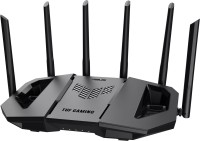
gaming router, balancing (Dual WAN), WAN: Ethernet, 3G via USB, 4G LTE over USB, connection: LAN 3 ports, 2.5 Gbps, port 2.5 Gbps, Wi-Fi: Wi-Fi 7 (BE), 2.4 GHz — 688 Mbps, 5 GHz — 2882 Mbps, 6 GHz — 5764 Mbps, 240 / 320 MHz, MU-MIMO, Beamforming

game, 16 ", 1920x1200 (16:10), IPS, 144 Hz, Ryzen 5, 7535HS, 3.3 GHz, RAM 16 GB, DDR5, RTX 4050, SSD M.2 NVMe, 512 GB, USB A 5Gbps (3.2 gen1), USB C gen2, Win 11 Home, Wi-Fi 6, VR, fast charge, 2.3 kg

gaming router, WAN: Ethernet, 3G via USB, 4G LTE over USB, connection: LAN 4 ports, 1 Gbps, Wi-Fi: Wi-Fi 7 (BE), 2.4 GHz — 688 Mbps, 5 GHz — 2882 Mbps, 160 MHz, Dual-band, MU-MIMO, Beamforming

game, 15.6 ", matte, 1920x1080 (16:9), IPS, 144 Hz, Ryzen 5, 7535HS, 3.3 GHz, RAM 16 GB, DDR5, RTX 4060, SSD M.2 NVMe, 512 GB, USB A 5Gbps (3.2 gen1), USB C gen2, Win 11 Home, Wi-Fi 6, VR, fast charge, 2.2 kg

gaming router, WAN: Ethernet, connection: LAN 4 ports, 1 Gbps, Wi-Fi: Wi-Fi 6 (AX), 2.4 GHz — 574 Mbps, 5 GHz — 3603 Mbps, 160 MHz, Dual-band, MU-MIMO, Beamforming
game, 16 ", 1920x1200 (16:10), IPS, 165 Hz, Ryzen 7, 260, 3.8 GHz, RAM 16 GB, DDR5, RTX 5050, SSD M.2 NVMe, 512 GB, USB A 10Gbps (3.2 gen2), USB C gen2, USB4 40 Gbps, Win 11 Home, Wi-Fi 6E, VR, fast charge, 3D face scanner, 2.2 kg

gaming router, WAN: Ethernet, 3G via USB, 4G LTE over USB, connection: LAN 3 ports, 2.5 Gbps, port 2.5 Gbps, Wi-Fi: Wi-Fi 7 (BE), 2.4 GHz — 688 Mbps, 5 GHz — 5764 Mbps, 160 MHz, Dual-band, MU-MIMO, Beamforming
game, 16 ", 1920x1200 (16:10), IPS, 144 Hz, Ryzen 5, 7535HS, 3.3 GHz, RAM 8 GB, DDR5, RTX 4050, SSD M.2 NVMe, 512 GB, USB A 5Gbps (3.2 gen1), USB C gen2, Win 11 Home, Wi-Fi 6, VR, fast charge, 2.3 kg

gaming router, WAN: Ethernet, 3G via USB, 4G LTE over USB, connection: LAN 5 ports, 1 Gbps, 2.5 Gbps, port 2.5 Gbps, Wi-Fi: Wi-Fi 6 (AX), 2.4 GHz — 1148 Mbps, 5 GHz — 4804 Mbps, 160 MHz, Dual-band, MU-MIMO, Beamforming
game, 15.6 ", matte, 1920x1080 (16:9), IPS, 144 Hz, Ryzen 7, 7735HS, 3.2 GHz, RAM 16 GB, DDR5, RTX 4060, SSD M.2 NVMe, 512 GB, USB A 5Gbps (3.2 gen1), USB C gen2, Win 11 Home, Wi-Fi 6, VR, fast charge, 2.2 kg

game, 15.6 ", matte, 1920x1080 (16:9), IPS, 144 Hz, Ryzen 7, 7435HS, 3.1 GHz, RAM 16 GB, DDR5, RTX 4050, SSD M.2 NVMe, 512 GB, USB A 5Gbps (3.2 gen1), USB C gen2, Win 11 Home, Wi-Fi 6, VR, fast charge, 2.2 kg

game, 17.3 ", 1920x1080 (16:9), IPS, 144 Hz, Ryzen 5, 7535HS, 3.3 GHz, RAM 16 GB, DDR5, RTX 2050, SSD M.2 NVMe, 512 GB, USB A 5Gbps (3.2 gen1), USB C gen2, Win 11 Home, Wi-Fi 6, 2.6 kg
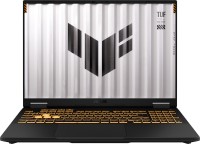
game, 16 ", 1920x1200 (16:10), IPS, 165 Hz, Core i5, 13450HX, 1.8 GHz, RAM 16 GB, DDR5, RTX 5050, SSD M.2 NVMe, 512 GB, USB A 10Gbps (3.2 gen2), USB C gen2, USB4 40 Gbps, Thunderbolt, Win 11 Home, Wi-Fi 6E, VR, fast charge, 3D face scanner, 2.2 kg

game, 15.6 ", matte, 1920x1080 (16:9), IPS, 144 Hz, Ryzen 5, 7535HS, 3.3 GHz, RAM 8 GB, DDR5, RTX 2050, SSD M.2 NVMe, 512 GB, USB A 5Gbps (3.2 gen1), USB C gen2, Win 11 Home, Wi-Fi 6, fast charge, 2.3 kg

high performance, game, 16 ", 2560x1600 (16:10), IPS, 165 Hz, Ryzen AI, 9 HX 370, 2 GHz, RAM 32 GB, LPDDR5X, RTX 4070, SSD M.2 NVMe, 1 TB, USB A 10Gbps (3.2 gen2), USB C gen2, Win 11 Home, Wi-Fi 6E, VR, fast charge, 3D face scanner, 2.2 kg

game, 14 ", 2560x1600 (16:10), IPS, 165 Hz, Ryzen 7, 8845HS, 3.8 GHz, RAM 16 GB, LPDDR5X, RTX 4060, SSD M.2 NVMe, 1 TB, USB A 10Gbps (3.2 gen2), USB C gen2, Win 11 Home, Wi-Fi 6E, VR, fast charge, 3D face scanner, 1.46 kg

game, 14 ", 2560x1600 (16:10), IPS, 165 Hz, Ryzen AI, 9 HX 370, 2 GHz, RAM 16 GB, LPDDR5X, RTX 4060, SSD M.2 NVMe, 1 TB, USB A 10Gbps (3.2 gen2), USB C gen2, Win 11 Home, Wi-Fi 6E, VR, fast charge, 3D face scanner, 1.46 kg

game, 15.6 ", matte, 1920x1080 (16:9), IPS, 144 Hz, Ryzen 5, 7535HS, 3.3 GHz, RAM 8 GB, DDR5, RTX 4050, SSD M.2 NVMe, 512 GB, USB A 5Gbps (3.2 gen1), USB C gen2, Win 11 Home, Wi-Fi 6, VR, fast charge, 2.2 kg
AccessoriesAll accessories for Asus FA608UM-R7165W →




Monitor, autonomy, lightweight, good graphics card, handles all modern AAA projects on high and medium settings, the new DLSS4 in the 5000 series only adds more advantages Strangely, the MUX switch doesn't work well when switching programs, sometimes the images overlap, and the speakers are quiet. My old HP and Lenovo work much louder.  Hio: use Asus FA608UM-NS73 few months Hio: use Asus FA608UM-NS73 few months |
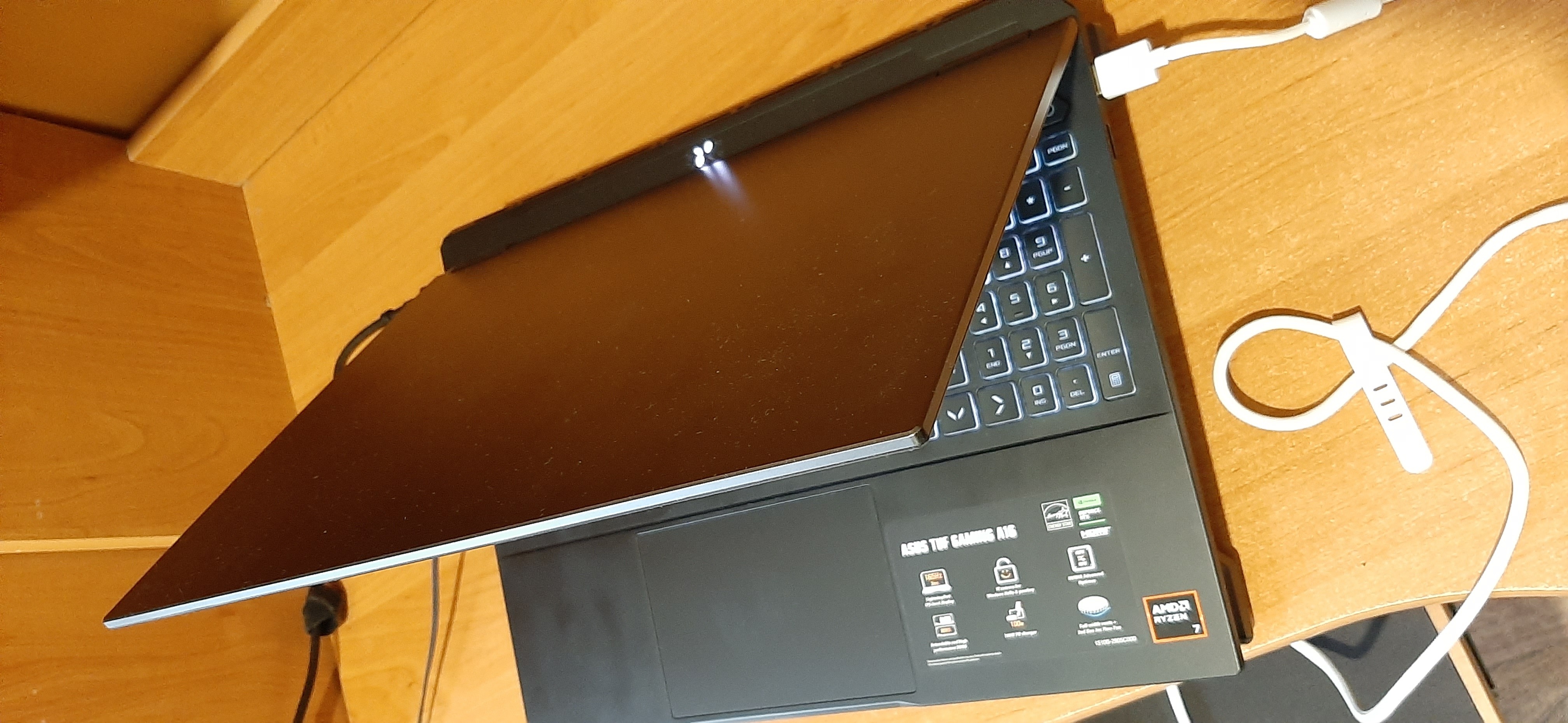
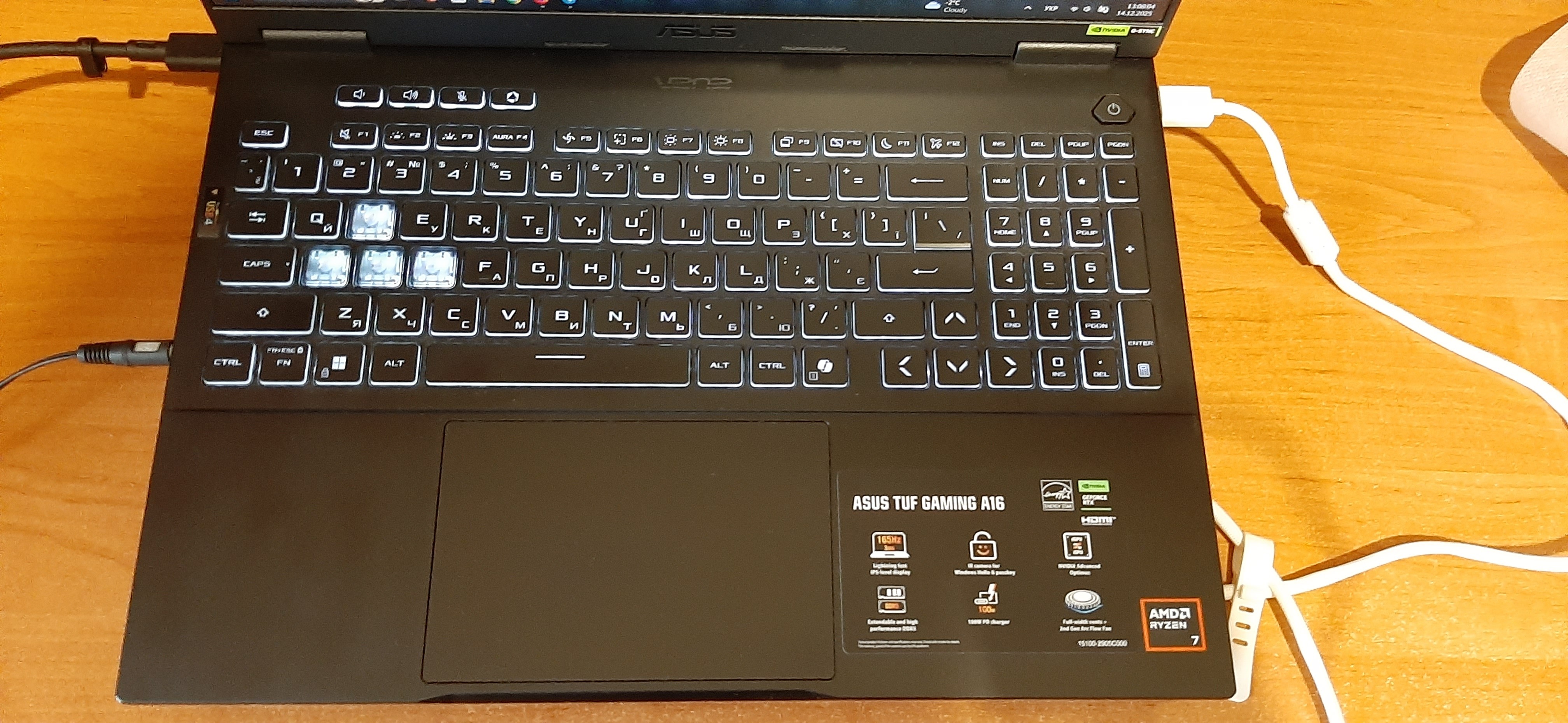
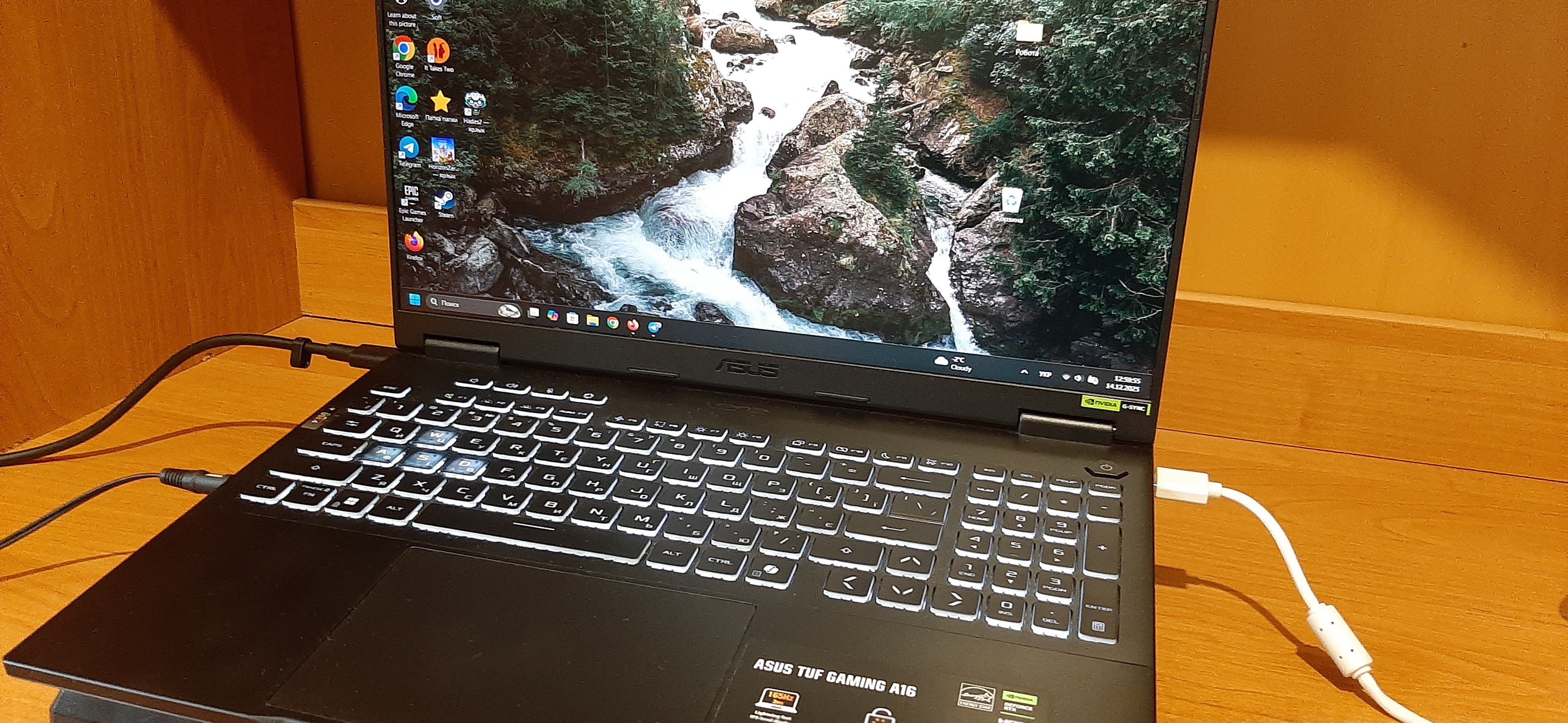
I strongly do not recommend, Asus did everything possible to ruin their laptops. This and similar models have a thousand and one problems, it just becomes absurd. If you don't believe me, google the issues I listed in the drawbacks (preferably in English), and you'll find a lot of people complaining about this for years, I just didn't know about it before purchasing. If anyone thinks that it’s just this particular model I got - as I said, you can find a bunch of people online with complaints about all these symptoms. Those who managed to contact Asus support say that they are aware of the problems and even tested new drivers for fixes, but this has been ongoing for years, judging by the dates of the complaints, in a word, it's just terrible. Before this, I had an Asus ROG that's about 8 years old, and there were absolutely no similar problems, that’s why I confidently chose from Asus. - The price for the installed hardware compared to other alternatives - Quite compact - The RAM is installed in 1 slot, so it can be easily doubled - Additional slot for another SSD - Seems to have a decent cooling system (hard to say for sure), but only 2 fans, so don't be fooled by the length of the exhaust panel along the body - Separate button for launching ASUS software (if you will use it) and another one for switching lighting modes - Ability to customize lighting through Windows and ASUS software - Good internal microphone - Good sound from speakers - doesn't enter sleep mode properly, half the time you need to activate it twice - can't properly turn off the screen, may go to sleep or freeze instead - often won't start without being plugged in (possibly a battery issue on mine, haven't contacted support yet) - can't disable auto-brightness through Windows or ASUS software, only with a third-party utility - while in sleep mode, might spin fans at full speed for a long time or get very hot - camera turns off if it's too dark or there's no motion, saying it might be covered (no setting to disable this, and not on other laptops) - parallel operation of the integrated and discrete graphics cards works with lags and glitches (switching to an app/window running on the other card might freeze everything until you move a window with the mouse). Default setting, but there are options to fully switch to one card, though it didn't work as expected, I don't quite remember - quite heavy - indicators are placed behind the screen (where the exhaust is), which is ridiculous since you can't see them with the lid open without turning the laptop over - no indicator on the power button like previous models, and since it takes a long time to boot (yes, really long, especially for its hardware), you're clueless if it's even starting until a message appears or you press it again - and more  Vadym: use Asus TUF Gaming A16 (2025) FA608UM few months Vadym: use Asus TUF Gaming A16 (2025) FA608UM few months |
Add Review
Video reviews

ASUS TUF Gaming A16 (FA608) #AMD | 2025
6 May 2025751 996 view
ASUS TUF Gaming A16 (2025) Unboxing – RTX 5070 Beast with 165Hz Display!
13 June 202532 781 view

ASUS TUF Gaming A16 (2025)| RTX 5070 Power, AMD Ryzen, Military-Grade Build
10 June 202511 489 view

ASUS TUF Gaming A16
13 June 202515 view

Unboxing ASUS TUF A16 2025 (FA608UM)
14 September 2025194 view
I tested the graphics card in games like The Last of Us Part 2 (70-80 fps on high) and STALKER 2 (70-90 on high with DLSS), now playing Horizon Zero Dawn Remastered with DLSS up to 150+ on high, which I'm really happy about; temperatures during gaming are up to 70 degrees on the GPU and up to 65 on the CPU. It's relatively quiet under heavy load; my buddy has an MSI Katana with RTX 3070, and he can only play in headphones because it's like having a combine harvester next to you.
As for the minuses, the MUX switch works strangely; if you quickly switch between some tabs or programs, the image overlays for 1-2 seconds. In service, they said to update the BIOS and drivers, it was supposed to help, but it didn't really do much; I hope Asus will fix this in future updates because I didn't quite figure out what's causing it.