
Acer Swift Go 14 SFG14-63 [SFG14-63-R2ZG] (NX.KTSEP.005)
 | Outdated Product Display:14 ", 2880x1800 (16:10) CPU:Ryzen 7, 8845HS, 3.8 GHz Graphics card:Radeon 780M RAM:16 GB Storage:SSD M.2 NVMe, 512 GB Laptop weight:1.25 kg |


 |
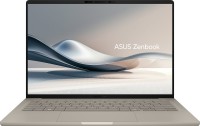


Acer Swift Go 14 SFG14-63 [SFG14-63-R2ZG] | |||||||||||||||||||||||||||||||||||||||||||||||||||||||||||||||||||||||||||||||||||||||||||||||||||||||||||||||||||||||||||||||||||||||||||||||||||||||||||||||||||||||||||||||||||||||||
|
| ||||||||||||||||||||||||||||||||||||||||||||||||||||||||||||||||||||||||||||||||||||||||||||||||||||||||||||||||||||||||||||||||||||||||||||||||||||||||||||||||||||||||||||||||||||||||


Always clarify the specifications and configuration of the product with the online store manager before purchasing.
Catalog Acer 2026 - new arrivals, bestsellers, and the most relevant models Acer.
High-end OLED display
Acer laptops have rarely made it to the top of sales in recent years and received 100% recommendations for purchase. And in vain. For example, the new Swift Go 14 2024 easily puts most competitors in the category up to $ 1000 on their shoulder blades. Firstly, it is equipped with a high-end OLED screen (3K, 90 Hz, 100% DCI P3, HDR10). Secondly, the hardware is based on the latest 8-core Ryzen 7 8845HS processor (Hawk Point series, Zen 4 architecture) with advanced integrated Radeon 780M graphics, integrated Ryzen AI second-generation neural block and AVX512 support. This is a really powerful chip that claims to be “professional”.
High build quality
Thirdly, the Swift Go is well-assembled, comfortable for everyday use and has everything you need for “heavy” work and creativity. The Acer Swift Go 14 uses high-quality materials in its design, including a magnesium alloy for the body, which guarantees the strength and lightness of the device (1.25 kg with a thickness of 15 mm). The feeling of reliability is further enhanced by the rigidity of the hinges, although judging by the reviews on the Internet, for some this is not an advantage, but rather a disadvantage.
When every little thing matters
The keyboard deserves special attention - it not only has an excellent tactile feel, but also has a pleasant backlight. The developers made sure that each key responded quickly and clearly. In addition, the Acer Swift Go 14 is also generously equipped with ports: there are four USB ports (two of them are USB4), HDMI and a card reader, as well as a wireless receiver with Wi-Fi 6E. In addition, the device supports Power Delivery, the built-in battery can provide up to 12 hours of operation without recharging, and a webcam with a resolution of 1440p and noise reduction function provides high-quality video communication.
Follow us for updates.


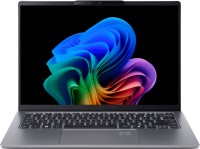












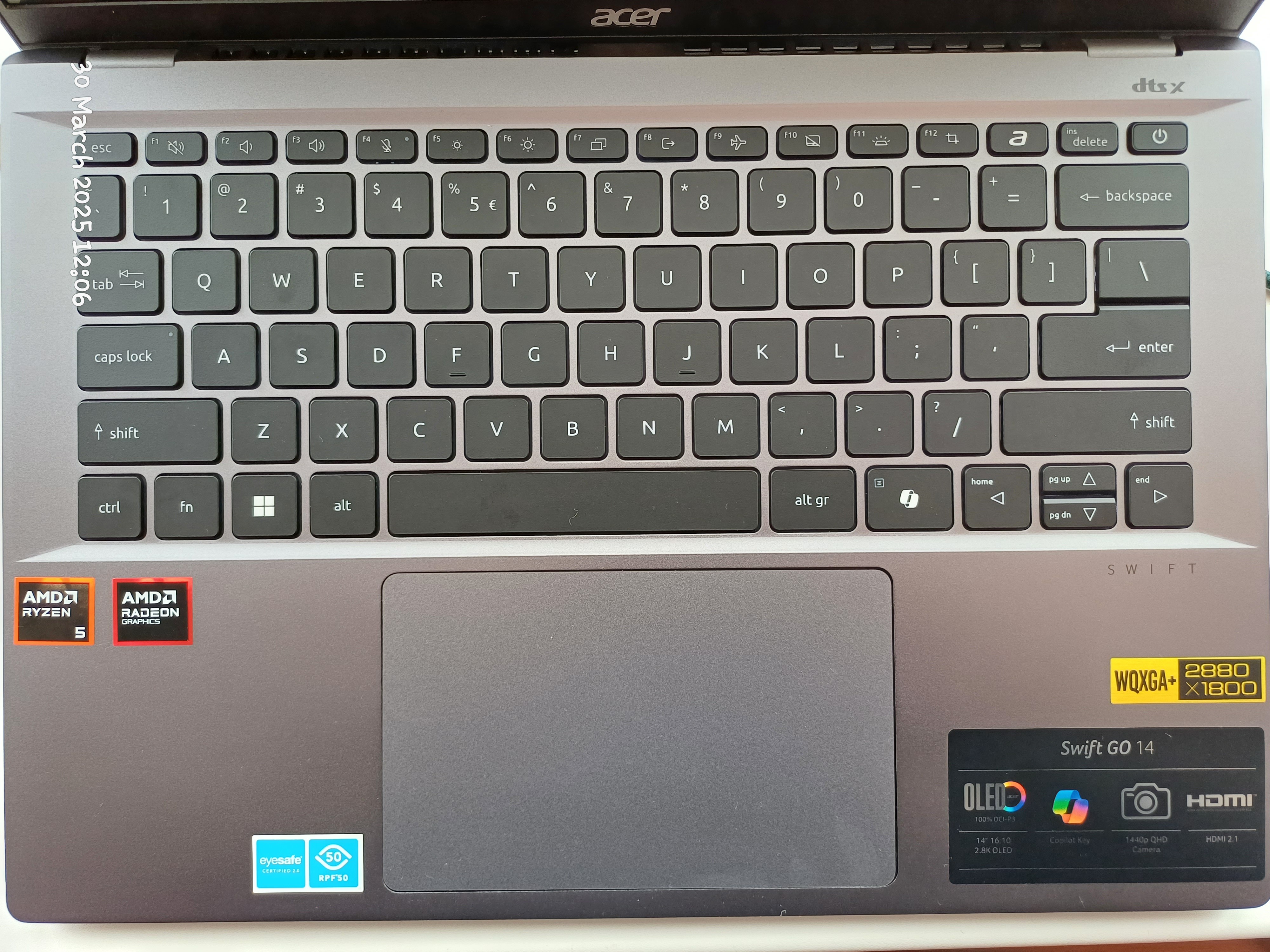
- High-quality display with vibrant colors. 2880x1800 OLED screen with a 90 Hz refresh rate is simply pleasing to the eyes. The image quality is better than in reality :) - Well-built. The aluminum body doesn't flex, creak, or have any play - it's satisfying - Charging port - USB Type-C - convenient - Has a pleasant keyboard backlight - Lack of Ethernet port. This isn't the first laptop where I've noticed this "economy." I had to buy a USB-C to Ethernet adapter. Good thing there was a free Type-C. - Keyboard. It's compact and convenient, but there are a few "buts": No Print Screen key; They've added a Copilot button — a very "necessary" button (not); Page Up / Page Down and other keys are placed on the arrows, requiring Fn to access them; The arrow keys themselves are very small — personally inconvenient for me.  Artem: use Acer SFG14-63-R19Q less than month Artem: use Acer SFG14-63-R19Q less than month |
I want to say a few words about the charging port - it's USB Type C here. I generally believe that it's time to completely abandon DC in favor of USB Type C in laptops, thus standardizing the charging port. I will update the review later. 1. Nicely crafted (at first glance) metal body, visually making the laptop look expensive. 2. Charging via USB Type C. Absence of a DC port. 3. UEFI is tastefully designed and is comprehensible, but there is a significant DRAWBACK - see the relevant section. 4. Sufficient number of USB ports - 4. 5. Convenient, large touchpad. 1. Very few settings in UEFI/BIOS. You can't disable devices/peripherals. You can't take screenshots. No UEFI update in UEFI, meaning updating can only be done through Windows. Virtualization settings are absent. 2. Stickers for the CPU and graphics card are poorly placed on the case. Yes, it's a minor issue, but I believe that in a product costing 32,000 UAH this shouldn't happen. This isn't some AliExpress. Right? 3. Separate "Microsoft Copilot" button on the keyboard. It's unclear why a whole key was dedicated to this Microsoft feature. It would have been better as a Print Screen or something else.  Yaroslav Oleksandrovich Litvinov: use Acer Swift Go 14 SFG14-63 less than month Yaroslav Oleksandrovich Litvinov: use Acer Swift Go 14 SFG14-63 less than month |
Not even two weeks in, the UEFI firmware malfunctioned. Just a black screen when turning on the laptop and that's it. Nothing else - just darkness. Learn from my mistakes: if you buy this model., then don't touch the UEFI. Just forget it exists, and maybe, possibly (not guaranteed), the laptop will last long. However, it's better not to buy this model at all. All advantages were nullified after the first visit to the service center, which happened a week after usage. The UEFI (BIOS) firmware failed during an update. How is this even possible on a laptop costing 32,000 UAH, Acer? Why couldn't a technology like Double BIOS, as used in Gigabyte, be implemented here?! Had to take it to the service center where the board was soldered on the laptop!!! Yaroslav Oleksandrovich Litvinov: use Acer Swift Go 14 SFG14-63 less than month |
It feels like a significant portion of the laptop's cost went into the chassis and the screen. Charging via Type-C is a plus, but the absence of an Ethernet port is not. There are some issues with the keyboard design, but it has backlighting, so I forgive it ;)
Overall, I liked the laptop. While you can buy more powerful ones for this price, this is a pleasant compromise between quality, design, and portability.